PDF tools for every job.
Merge, split, compress, convert, edit and sign PDFs in your browser. 85 PDF tools, plus 14 more for images, video, audio and fonts. Free to start, no signup.
Convert to and from PDF
Word, Excel, PowerPoint, images, HTML and ebooks into PDF, and PDF back into editable files.
29 tools
PDF to Word
Convert PDF documents to fully editable DOCX files.
Word to PDF
Convert DOCX documents to PDF with layout preserved.
PDF to Excel
Extract tables from PDFs into structured XLSX spreadsheets.
PDF to JPG
Export every page of a PDF as a high-quality image.
JPG to PDF
Bundle one or more images into a single PDF file.
Excel to PDF
XLS and XLSX spreadsheets into a paginated PDF.
PDF to PowerPoint
Turn PDF presentations into editable PPTX slides.
PowerPoint to PDF
PPT and PPTX decks into a shareable PDF.
PDF to CSV
Pull tabular data out of a PDF as CSV rows.
PDF to HTML
Turn a PDF into a browsable HTML document.
Markdown to PDF
Render .md files as a styled, printable PDF.
PDF to Markdown
Convert a PDF into clean, readable Markdown.
HTML to PDF
Convert any webpage or local HTML file to PDF.
PDF to Text
Extract all readable text content from PDF files.
Text to PDF
Plain .txt files into a clean, paginated PDF.
PDF to JSON
Export page text, geometry and metadata as structured JSON.
JSON to PDF
Render a JSON document as a formatted, printable PDF.
PDF to EPUB
Reflow a PDF into an EPUB ebook.
EPUB to PDF
Convert eBooks to universally readable PDFs.
Email to PDF
Archive EML messages as PDF with headers intact.
RTF to PDF
Rich Text .rtf documents into PDF.
ODT to PDF
OpenDocument .odt files into PDF.
PDF to XML
Export PDF structure and text as XML.
PDF to PDF/A
proConvert to ISO-standard PDF/A for long-term archiving.
PDF to Video
Turn a PDF into an MP4 slideshow, one page per frame.
PDF to EPS
Export the first page of a PDF as an Encapsulated PostScript vector file.
EPS to PDF
Convert an Encapsulated PostScript file into a PDF.
PDF to PS
Convert a PDF into a PostScript file for print workflows.
PS to PDF
Convert a PostScript file into a PDF.
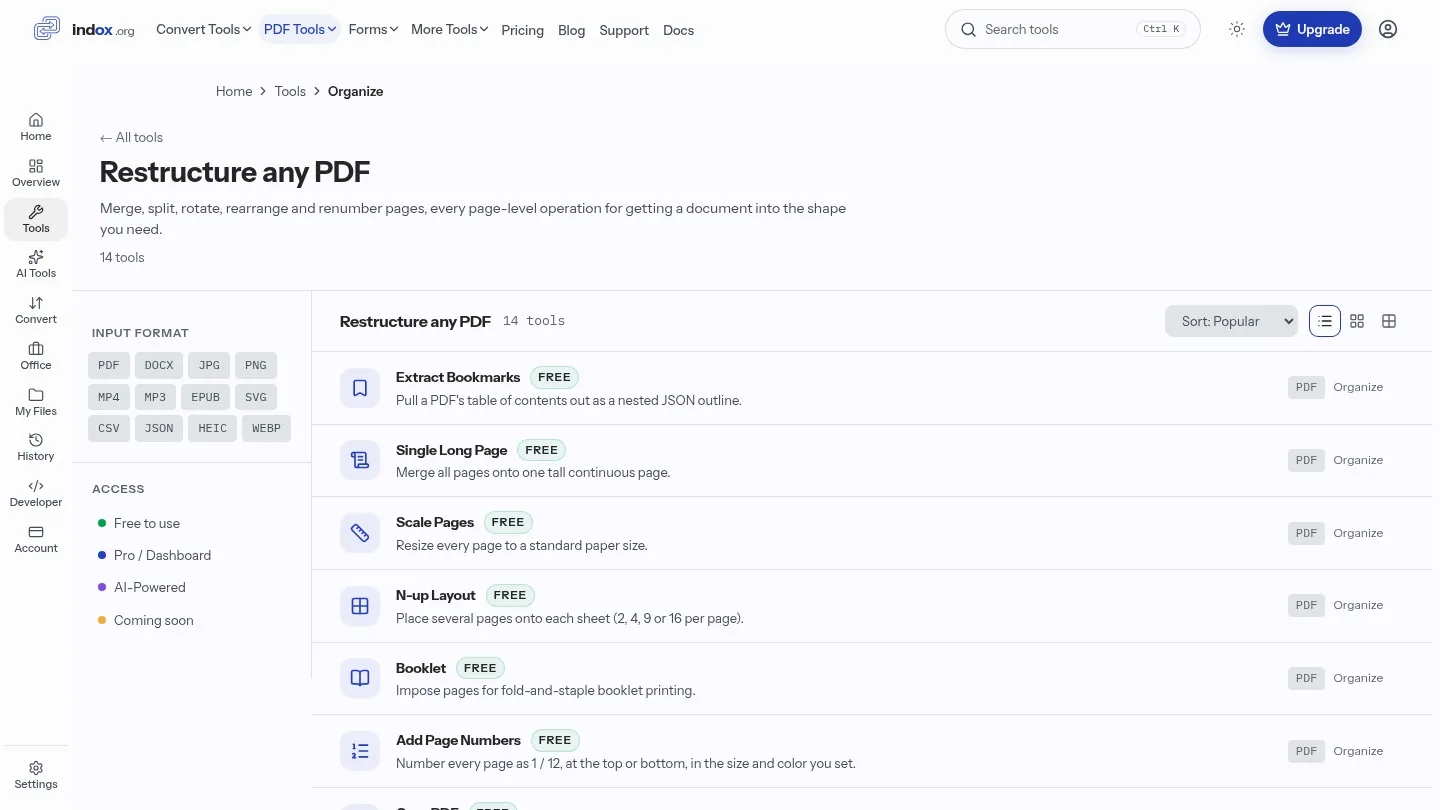
Organize PDF pages
Merge, split, rotate, reorder, crop and number pages.
14 tools
Merge PDF
Combine multiple PDF files into a single document.
Split PDF
Cut one PDF into several files at the pages you choose.
Rotate Pages
Turn every page, or only the pages you list, by 90, 180 or 270 degrees clockwise.
Reorder Pages
Type the new page order, such as 3,1,2, and download the PDF with its pages rearranged.
Remove Pages
Delete the pages you name and keep everything else in one PDF.
Extract Bookmarks
Pull a PDF's table of contents out as a nested JSON outline.
Single Long Page
Merge all pages onto one tall continuous page.
Scale Pages
Resize every page to a standard paper size.
N-up Layout
Place several pages onto each sheet (2, 4, 9 or 16 per page).
Booklet
Impose pages for fold-and-staple booklet printing.
Add Page Numbers
Number every page as 1 / 12, at the top or bottom, in the size and color you set.
Crop PDF
Trim each edge of a page by an exact amount, on every page or a range.
Extract Pages
Pull specific pages out and save as a new PDF.
Edit Table of Contents
Add or replace a PDF's bookmark outline, one entry per line.
Edit PDF
Fill forms, add stamps and attachments, change metadata and adjust colors.
19 tools
Edit PDF
proAdd text, shapes, annotations and images to any PDF.
Fill PDF Form
Read a PDF's form fields and fill them in without a PDF editor.
Add Stamp
Place an image from a web link, such as a logo or an approval seal, on every page of a PDF.
Edit PDF Metadata
Set the title, author, subject and keywords stored in a PDF.
Flatten PDF
Flatten form fields and annotations into static content.
Add / Extract Images
Pull the images stored inside a PDF into one ZIP, saved as PNG, JPEG or GIF.
Remove Annotations
Strip comments, highlights and markup from every page at once.
Adjust Contrast
Boost contrast and brightness to make a faint or greyed-out scan readable.
Invert Colors
Flip page colors to a dark or high-contrast version for reading.
Replace Colors
Give a PDF a background color and a text color that you pick.
Get PDF Info
Inspect page count, sizes, fonts, encryption and producer details.
Add Attachments
Embed a file from a public link inside a PDF as an attachment.
Show JavaScript
List embedded JavaScript inside a PDF so you can audit it.
Analyze PDF
Look up one narrow fact, page count, fonts, security, form fields, as JSON.
List Attachments
See every file embedded inside a PDF, with size and type.
Extract Attachments
Download every embedded file from a PDF as a ZIP.
Rename Attachment
Rename one embedded attachment inside a PDF.
Delete Attachment
Remove one embedded attachment from a PDF.
Remove Images
Strip every embedded image from a PDF.
Sign and protect PDF
Sign, add a password, redact, watermark and sanitize.
12 tools
Sign PDF
Draw, type or upload your signature onto any PDF.
Protect PDF
Encrypt PDFs with a password to block unauthorized access.
Unlock PDF
Remove password protection from PDFs you are authorized to use.
Redact PDF
proPermanently black out sensitive text and images.
Watermark PDF
Stamp one line of your own text across every page of a PDF.
Redact Text
Black out every occurrence of the words or phrases you list.
Sanitize PDF
proRemove hidden data, scripts and embedded content.
Certificate Sign
proAdd an invisible digital signature to a PDF, made with a certificate that indox holds.
Remove Signature
Strip certificate signatures from a signed PDF.
Unlock Forms
Make locked form fields editable again.
Timestamp PDF
Apply a trusted RFC-3161 timestamp to prove when a PDF existed.
Change Permissions
Choose whether readers may print, copy, edit, annotate or fill this PDF.
Compress, OCR and repair PDF
Shrink file size, make scans searchable, repair, compare and validate.
11 tools
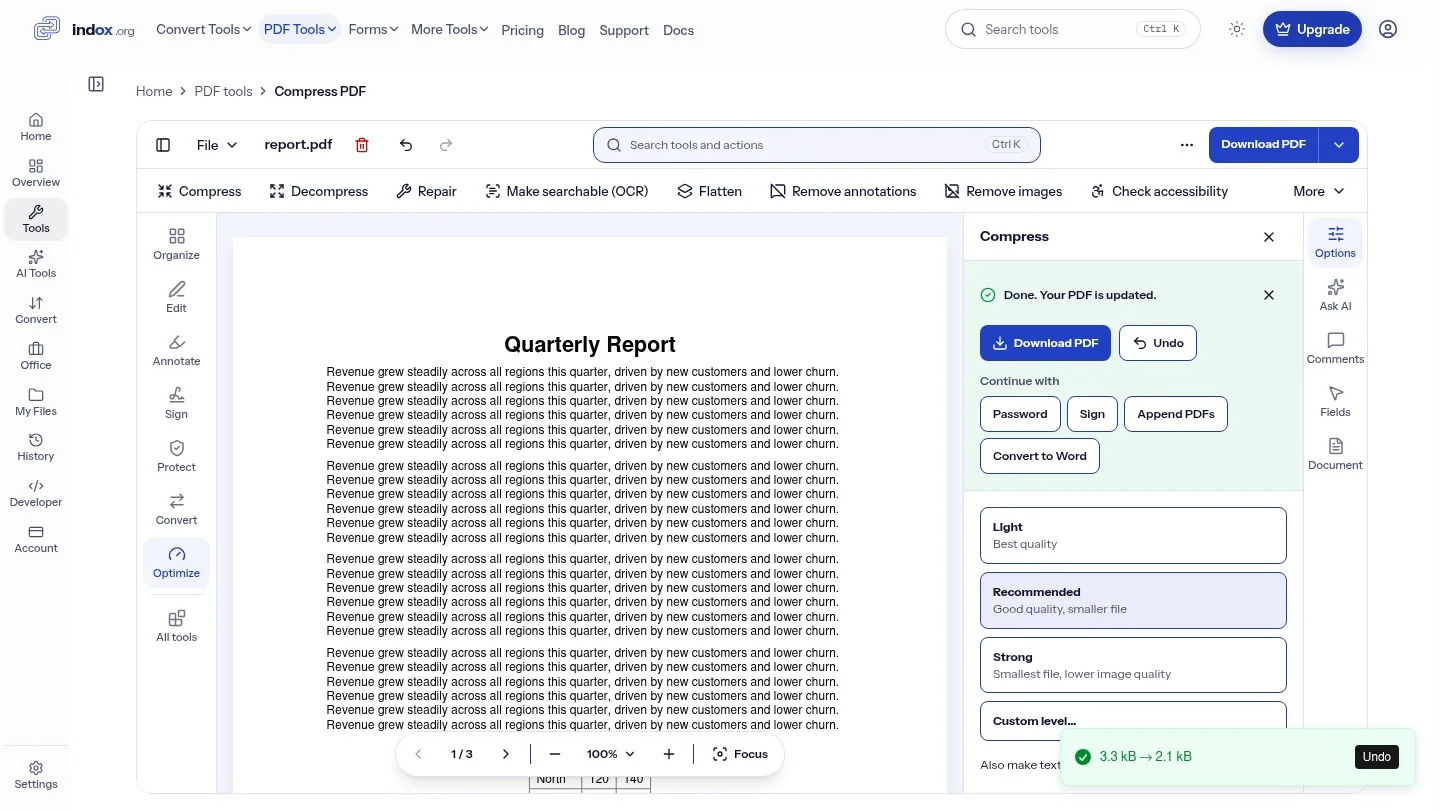
Compress PDF
Pick a compression level from 1 to 9, run the job and download the result.
OCR PDF
✦ AIAdd a searchable text layer to scanned pages in five languages.
Repair PDF
Run one repair pass on a damaged PDF and download the result, or see an error when the repair fails.
Compare PDFs
Diff this PDF against another and download a report of every text change.
Check PDF
Ask a yes/no question, contains text, page count, size, rotation, and get JSON back.
Decompress PDF
Uncompress the streams inside a PDF and download the result as a new PDF.
Auto Rename
Generate a meaningful filename from the document's own content.
Scanner Effect
Make a clean PDF look like it came off a paper scanner.
Pipeline
proChain tools into an automated no-code workflow.
Multi-Tool
Rotate, delete and reorder pages interactively in one editor.
Read & Annotate
Open in the viewer to highlight, comment and mark up pages.
Beyond PDF
Video tools
Convert, compress and trim video, or turn it into a GIF or MP3.
2 tools
Font tools
Convert between TTF, OTF, WOFF and WOFF2.
7 tools
Font Converter
Convert TTF, OTF, WOFF, WOFF2, EOT, SVG, PFA, PFB font files between any pair.
TTF to WOFF2
Compress TTF fonts to WOFF2 for the web, ~70% smaller, every modern browser.
OTF to WOFF2
Ship your OpenType font on the web as a Brotli-compressed WOFF2 file.
WOFF to WOFF2
Migrate legacy WOFF files to the modern Brotli-compressed WOFF2 format.
TTF to OTF
Convert TrueType outlines to the OpenType container for advanced typography.
OTF to TTF
Export OpenType fonts as TrueType for CAD, embedded systems, or legacy software.
WOFF2 to TTF
Unwrap a web font back to TrueType so you can edit it in a desktop font tool.
Other converters
Image and data conversions that do not involve a PDF.
5 tools
Smart Convert
✦ AIPick the best conversion path automatically.
HEIC to JPG
Convert iPhone HEIC photos to standard JPEG instantly.
SVG to PNG
Rasterize vector graphics to PNG at any DPI.
CSV to Excel
Turn comma-separated files into formatted Excel workbooks.
JSON to CSV
Convert JSON arrays to CSV for spreadsheet analysis.
What you can do with indox PDF tools
A PDF tool does one job on a PDF file: join several files into one, cut a file into parts, shrink its size, turn it into Word or an image, or add a signature. This page lists 85 of them, grouped by job, so you can find the one you need without knowing its name.
The tools work in your browser, with nothing to install. Pick a tool, add your file and download the result. The same page lists 14 more tools for images, video, audio and fonts.
Browse tools by group
Each of these pages covers one kind of job, with a short guide and answers to common questions.
Convert tools
Turn Word, Excel, PowerPoint, images and HTML into PDF and back.
AI tools
AI Extract pulls structured data out of any document.
Forms library
IRS, USCIS, VA, Medicare, federal court and other U.S. government forms you can fill and sign in the browser.
All conversions
Every file conversion indox supports, searchable by format.
Do it all with indox
No tool matches that search.
PDF tools questions
Are the PDF tools free?
Yes, to start. You get free credits every day with no account and no card. Tools marked Pro unlock with any paid plan, which also adds batch and priority processing.
Do I need to sign up or install anything?
No. The tools work in your browser, so there is nothing to install, and you can use them as a guest. Signing in raises your upload limit and keeps your history.
What happens to my files after I upload them?
Files are encrypted in transit. Files uploaded on the free tier are deleted automatically within 24 hours.
How large a PDF can I upload?
Guests get a lower limit, and signing in raises it. A paid plan does not change it. The upload box shows your limit before you add a file.
Can I work with a scanned PDF?
Yes. OCR PDF turns a scan into searchable, selectable text, and AI Extract reads the layout of a scan or photo to pull out its fields and tables.
How do I find the right tool?
Type a job or a file type in the search box, for example merge, compress or DOCX. The bar under it shows how many tools match in each group and jumps to that group.
Does indox only work with PDF files?
No. This page also lists 14 tools for images, video, audio and fonts, and the conversions catalog covers 5,963 file conversions.
Can I run these tools from code?
Yes. One REST API runs every tool on this site: send a file, poll the job, download the result. The free tier needs no key.
Do the tools change my original file?
No. Every tool gives you a new file to download. Your upload is never modified, and on the free tier it is deleted automatically within 24 hours.
Is redaction really permanent?
Yes. Redact removes the text and image data under the marked area, not just a black box on top, so the content cannot be recovered from the file you download.
Will compressing a PDF hurt its quality?
Compress PDF has quality presets. Lower settings shrink images harder, while text and vector content stay sharp.