No file open


Check PDF

or drop a file anywhere here

Dropbox
Google Drive

Files other than PDF are converted first. Signing in raises the size limit.

You add
One PDF
You set
A check and its value
You get
A JSON file with true or false

Check PDF tests a document against one condition and tells you whether it holds. You add a PDF, type the name of a check and, for most checks, a value to compare against. The answer downloads as a JSON file with two entries: check, which repeats the name you typed, and pass, which is true or false. Six checks are available: contains_text, contains_image, page_count, page_size, file_size and page_rotation. The document itself is only read. One check runs without an account. If you want the actual number or detail and not a verdict, use Analyze PDF or Get PDF Info.

What can you ask when you check a PDF?

Search for a word or an image

The contains_text check tells you whether the text in the Value box appears in the document. The contains_image check tells you whether the PDF holds an image, and it needs no value. Both read the Page numbers box, which starts as all.
Test the page count

With page_count, type a whole number in Value. The tool compares the number of pages in the document with it, using Equal unless you type another word in Comparator.

Compare page size or rotation

The page_size check takes a standard size name in Value: A0 to A6, LETTER or LEGAL. The page_rotation check takes a rotation number such as 0 or 90. Both look at the first page only, whatever the other pages are, and both compare with Equal when Comparator is empty. page_size compares page area, width times height, so Greater and Less ask whether the page is larger or smaller than the named size.

Test the file size

The file_size check compares the size of the PDF with the number in Value, counted in bytes. Its default comparator is Greater, so an empty Comparator asks whether the file is larger than your number.

What a check keeps and changes

Stays the same

  • Your PDF. A check never rewrites, filters or renames it.
  • The file on your device.

Changes

  • You get a small JSON file with two entries, check and pass, and no PDF.
  • pass is true when the condition holds and false when it does not.
  • page_size and page_rotation read the first page only.
  • page_size compares the page area with the area of the size you name, so a landscape A4 page and a portrait one count as equal.
  • The comparator words the engine knows are Greater, Equal and Less. Any other word ends the job with an error.

Which check for which question

You want to knowCheckValue
Does the PDF mention a word or a phrasecontains_textThe text to find. Page numbers can limit where to look.
Does the PDF hold a picturecontains_imageLeave it empty.
How many pages does it havepage_countA whole number, with Comparator Equal, Greater or Less.
Is the first page a standard sizepage_sizeA0 to A6, LETTER or LEGAL.
Is the file bigger than a limitfile_sizeA number of bytes, with Comparator Greater.
Is the first page rotatedpage_rotationA rotation number such as 0 or 90.

How to check a PDF in 3 steps

  1. Add the PDF

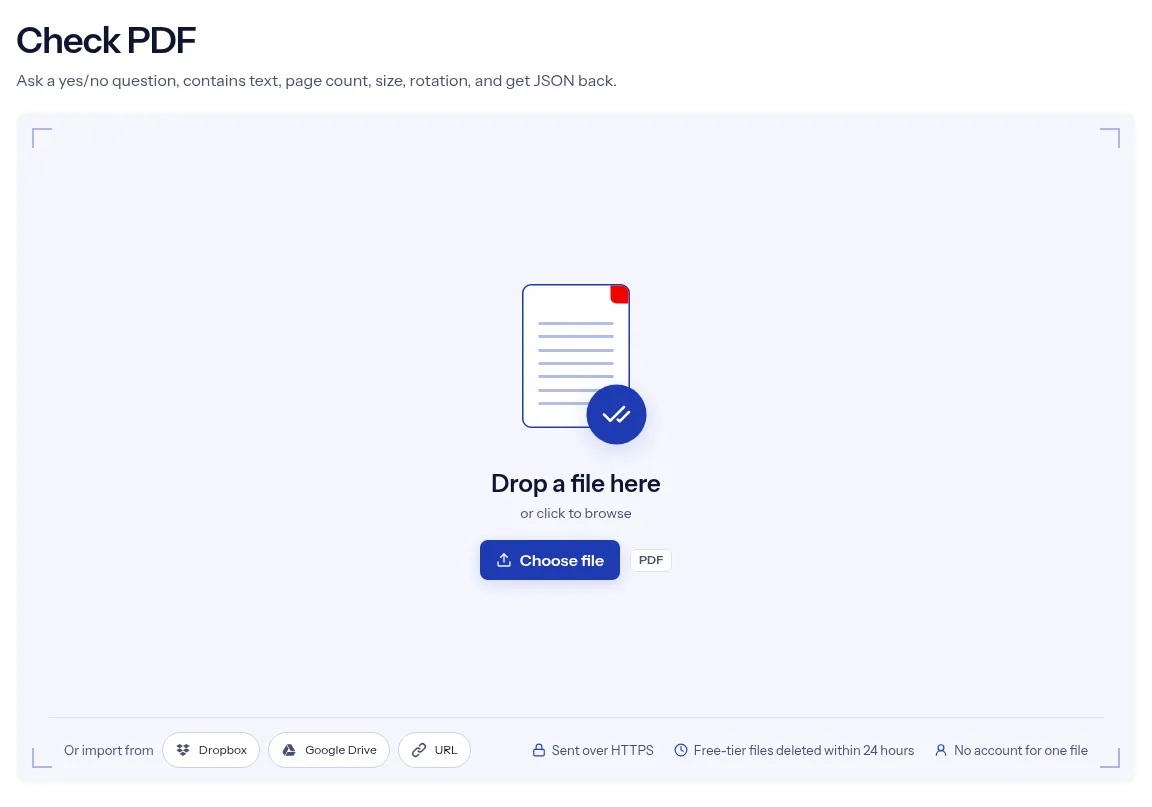
    Drop the PDF on the upload box or pick it with Choose file.

  2. Fill in the check

    Type a check name in Check, for example page_count, and the number or text to compare in Value. Comparator and Page numbers are optional.

  3. Run it and open the answer

    Press Run Check PDF, then choose Download. Open the JSON file and read the pass entry.

Placeholder for the Check PDF demo, which will show a real run

Why check a PDF with indox?

A check gives you a decision, not a report to read through. The answer file holds two entries, so a script can branch on pass without parsing anything else. The six check names are printed under the Check box, and a hint under Value says what kind of entry it expects. One check runs without an account, the PDF reaches indox over HTTPS, and on the free tier the files from a check are deleted automatically within 24 hours after the job finishes. Read the limits before you rely on a false answer, though. This page explains when false means no and when it means a box was filled in wrongly.

  • Six checks, listed under the box
  • A true or false answer
  • Two-entry JSON for scripts
  • The PDF is never altered
  • No account for one check
The indox Check PDF tool on indox.org, ready for your file

What are the limits when you check a PDF?

Size
The free tier has a file size limit. Signing in raises it, and paid plans raise it further.
Formats
This tool works on PDF files. To change a file's type, use the PDF converter.
Privacy
Files are encrypted in transit and processed on indox infrastructure.
Deletion
Free-tier files are deleted automatically within 24 hours after the job finishes. Signed-in output stays in your history for your plan's retention period.

Limits worth knowing

  • Check and Comparator are text boxes with no menu. A check name outside the six ends the job with an error. The page lists no accepted comparator words. The engine accepts Greater, Equal and Less, and the tool itself falls back on Equal or Greater.
  • Some boxes are ignored by some checks. Page numbers matters only for contains_text and contains_image, Comparator only for the other four checks, and contains_image reads no Value at all.
  • An empty Value does not stop the job. Number checks then compare against 0 and page_size compares against A4, and a check that lacks what it needs can come back false with no error.
  • For page_size, Equal compares exact measurements. A page that looks like A4 can still return false.
  • The answer is a downloaded JSON file, not a message on the page, and the page labels it as a PDF. There is also no password box, so unlock a protected PDF before you check it.

When the answer is not what you expected

What you seeWhyWhat to do
pass is false and the file looks rightpage_size and page_rotation test the first page, and Equal needs matching measurementsTry Greater or Less, or read the exact sizes with Get PDF Info.
contains_text is false for words you can seeA scanned page has no text layerRun OCR PDF first, then check the searchable copy.
The job ends with an errorThe check is not one of the six, the comparator is not Greater, Equal or Less, or a number check got lettersCorrect the entry and run it again.
pass is false and Value was emptyAn empty Value compares against 0, or against A4 for page_sizeFill in Value.
You want more than a yes or noA check answers one question per runUse Analyze PDF or Get PDF Info.

What do the free and paid plans add?

Free

  • All converters
  • Daily credit refresh
  • Email support

Basic

  • Access to all features
  • AI Extract
  • Priority conversions
  • Email support
Highest priority

Premium

  • Everything in Basic
  • Highest priority queue
  • Larger file limits
  • Priority support

Pay-As-You-Go

  • No subscription
  • Credits never expire
  • Opt-in auto-refill
  • Access to all features
See prices

Who checks PDFs?

  • People building document pipelines

    A workflow should continue only when a file meets a rule, such as a set page count. The pass entry gives the script a clean true or false.

  • Office staff sorting incoming files

    You need to know whether a contract mentions a certain name or clause before you file it. The contains_text check answers that without a read through every page.

  • Print and prepress operators

    A job sheet calls for LETTER pages with no rotation. Run page_size and then page_rotation to confirm both before the file goes to the press.

When to check a PDF, and when to pick another tool

  • An upload form accepts only files under a byte limit, and you want to test a PDF against it first.
  • A template must have an exact number of pages before it goes into a mailing.
  • You need to confirm that a long report mentions a product name at least once.
  • A batch of scans should all be unrotated, and you are testing one that looks wrong.
  • You need the real figure and not a verdict. Analyze PDF returns the page count or the page dimensions themselves.

Where can I read more?

Sources

Facts checked on October 16, 2026

Do it all with indox

View all 123 tools

Check PDF FAQs

Which checks can I run?

Six: contains_text, contains_image, page_count, page_size, file_size and page_rotation. Type the name in the Check box exactly as written here, with the underscore.

What does the answer look like?

It is a JSON file with two entries. The check entry repeats the check name, and the pass entry is true or false.

What do I type in Comparator?

You can leave it empty. The default is Equal for page_count, page_size and page_rotation, and Greater for file_size. If you type one of those words yourself, keep the capital first letter.

What goes in the Value box?

It depends on the check: the text to find for contains_text, a whole number for page_count and page_rotation, a number of bytes for file_size, and a size name such as A4 or LETTER for page_size.

Why did I get false when I expected true?

First rule out a form mistake. An empty Value can produce false with no error. For page_size, Equal needs an exact match in measurements, so a near match fails.

Why did the job end with an error?

Look for an entry the tool could not understand: a check name outside the six, or letters in Value where a number check needs digits. Select Try another, add the file and correct the entry.

Does a check change or filter my PDF?

No. You get only the JSON answer. The tool does not return the PDF, edit it or sort it anywhere.

Do I need an account to run a check?

No, a single check runs without one. Your PDF is sent over HTTPS. Free-tier files, the upload and the answer alike, are removed automatically within 24 hours of the job finishing.