Free AVIF to JPG converter

The image you saved from a website comes back as an ordinary JPG that editors, email clients and uploaders accept.

Converting AVIF to JPG trades a compact, modern file for one that opens anywhere. You get an ordinary photo that older editors, viewers and upload forms accept. Expect the JPG to be noticeably bigger than the AVIF, and know that any transparent areas or HDR brightness in the original are flattened along the way.

Transfers use HTTPS, and files converted on the free tier are deleted within 24 hours, so the result is not a long-term archive. Quality depends on the source file, so open the JPG file once before you share it.

FromAVIFLossyTransparency

AVIF (AV1 Image File Format)

A modern image format from the Alliance for Open Media that stores pictures using AV1 video compression. It compresses far harder than JPG and supports transparency, HDR, 10 and 12-bit colour and animation, but reached browsers only around 2020.

ToJPGLossy

JPEG (Joint Photographic Experts Group)

A lossy photo format from the early 1990s built on block-based DCT compression. It is limited to 8-bit standard dynamic range with no alpha channel, yet it opens in practically every editor, viewer, email client and content management system.
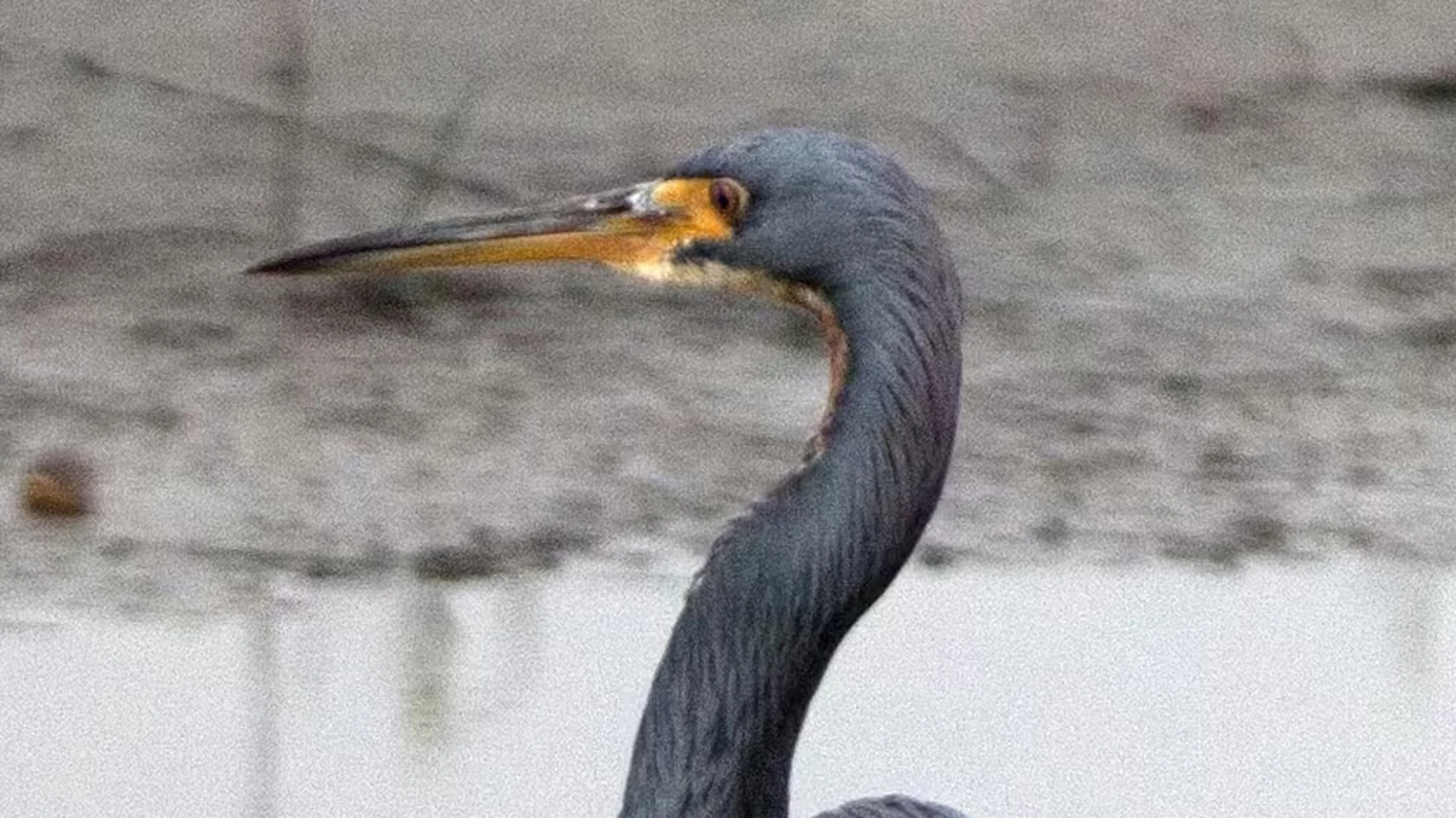
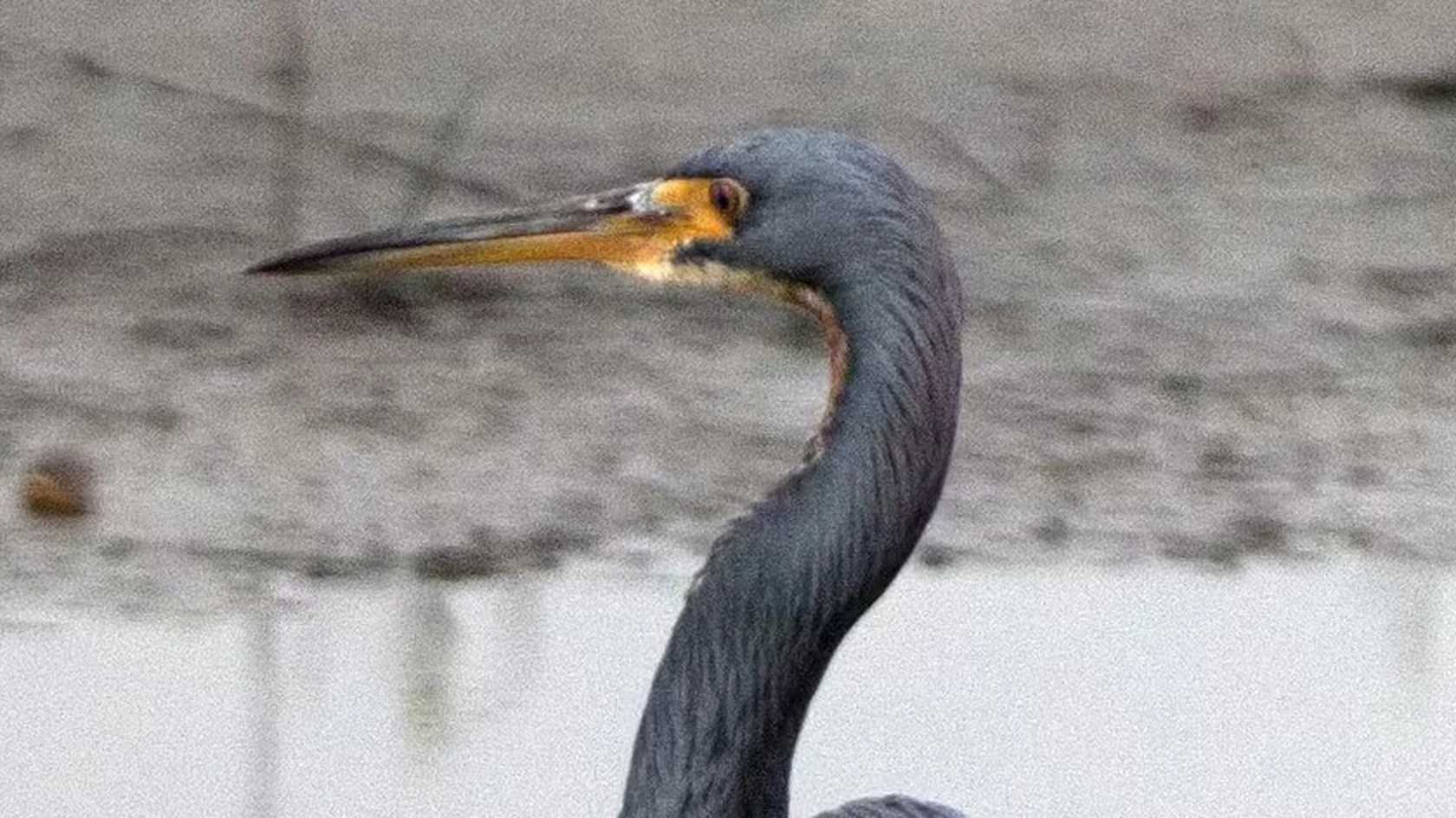
A 3024 × 4032 photo saved as AVIF, then converted on indox.org

AVIFthe original
1.8 MB
JPGfrom indox, 105% larger
3.7 MB
A heron's head and beak in the original AVIF file, enlarged
The same part in the JPG file made by indox, enlarged
Measured on indox.org on 16 October 2026: the file we uploaded and the file we downloaded. Drag the handle to compare the same part.

Why use indox to convert AVIF to JPG?

Made for images saved from websites

A picture saved from a website often arrives as AVIF, even when its address ends in .jpg, because the site sent the smallest format your browser accepts. The picture is fine; add the saved file here and you get a JPG that your other software knows.

No AV1 extension or codec to add

Windows can show AVIF in Photos and File Explorer once the AV1 Video Extension is installed, but many desktop programs still cannot import the format. The conversion happens on indox infrastructure, so your computer needs nothing new, and a single image converts without an account.

PNG is one choice away for cut-outs

A cut-out logo or product shot comes back on a flat background, because JPG cannot store transparency. If the transparency matters, start again from the AVIF and pick PNG as the output format on the converter.

What happens to your picture

Stays

  • The main picture, as one JPG for every AVIF file you add
  • Your original AVIF, which is not touched
  • The picture's width and height, because nothing is resized

Changes

  • The compression: the picture is decoded and written again as a lossy JPEG
  • Transparency: a JPG has no alpha channel, so see-through areas cannot be kept
  • Dynamic range and colour: a JPG holds 8 bits per colour component, which can flatten HDR and wide-gamut colour
  • Frames: an animated AVIF becomes one still image
  • File size: AVIF compresses better than JPEG at similar visual quality, so the JPG is usually larger

How do I convert AVIF to JPG online?

  1. 1

    Add the AVIF you saved

    Choose the AVIF from your device or drop it on the box; importing from Dropbox, Google Drive or a URL works too. Check the extension, since a web picture can download as .avif unexpectedly.

  2. 2

    Check JPG is selected and convert

    Make sure JPG is the output format, then start the conversion. A progress bar shows the job, and you can cancel it if you added the wrong image.

  3. 3

    Download the JPG and compare colours

    Download the JPG and open it next to the original if you can. Areas that were transparent now have a solid background, and bright HDR highlights may look duller in 8-bit colour.

What do I get from indox's AVIF to JPG converter?

You get a single still JPG in 8-bit standard range, the kind of file that PowerPoint, Word, older design programs and JPG-only uploaders accept. It is larger than the AVIF, and transparency, HDR brightness and animation frames do not come with it. The upload is sent over HTTPS, the image is processed on indox infrastructure, and nothing on the free tier is kept beyond 24 hours.

  • A JPG for software that has no AVIF importer
  • No extension from the Microsoft Store required
  • One image converts without an account
  • Cancel the job if you chose the wrong file
  • Download the result or share it with a link
The indox AVIF to JPG converter: drop a file or choose one to convert it to JPG

What are the limits for AVIF to JPG?

Size

The upload box shows the live size limit before you add a file. Signing in raises it, and paid plans raise it further.

Formats

AVIF in, JPG out. Pick another output on the converter if you need a different format.

Privacy

Files are encrypted in transit over HTTPS and processed on indox infrastructure.

Deletion

Free-tier files are deleted automatically within 24 hours after the job finishes.

Limits worth knowing

  • AVIF files served by websites are often heavily compressed already. Re-encoding to JPG cannot restore that detail and adds a small amount of new loss on top.
  • An animated AVIF holds many frames while a JPG holds one, so only a single still image can come out of the sequence.
  • Cut-out images such as logos and product shots lose their transparent background. If the transparency matters, PNG is a more suitable target than JPG.
  • HDR pictures can look duller or shift slightly in colour after conversion, because the result depends on how the wide range is mapped into 8 bits.

When the result is not what you expected

What you seeWhyWhat to do
The JPG is bigger than the AVIFAVIF compresses better than JPEG at similar visual qualityKeep the AVIF for storage and convert only the copies you have to share
A logo or cut-out has a solid backgroundA JPG has no alpha channel, so transparency cannot be storedUse AVIF to PNG, because PNG keeps an alpha channel
Bright colours look duller than on screenThe AVIF held HDR or wide-gamut colour, and a JPG holds 8 bits per componentKeep the AVIF for viewing on an HDR display and use the JPG only for sharing
Only one frame came out of an animated AVIFA JPG holds one still image, so the sequence cannot be storedKeep the AVIF if you need the motion

What do the free and paid plans add?

Free

  • All converters
  • Daily credit refresh
  • Email support

Basic

  • Access to all features
  • AI Extract
  • Priority conversions
  • Email support
Highest priority

Premium

  • Everything in Basic
  • Highest priority queue
  • Larger file limits
  • Priority support

Pay-As-You-Go

  • No subscription
  • Credits never expire
  • Opt-in auto-refill
  • Access to all features
See prices

AVIF vs JPG: what is the difference?

Compared onAVIFJPG
CompressionLossy and lossless; compresses better than JPEG for similar visual qualityLossy, based on the discrete cosine transform
TransparencyAlpha channel supportedNo alpha channel
Colour rangeHigh dynamic range and wide colour gamut supportedTrue colour at 8 bits per component
AnimationAnimation and multi-image storage supportedA format for still images
Where it opensCurrent Chrome, Edge, Firefox, Opera and Safari; support has little historical depth, so older software may not read itEvery version of those browsers, and the most widely used lossy format for still images

Who can use a AVIF to JPG converter?

  • People saving pictures from the web

    The product picture you saved from an online shop downloaded as AVIF, and your image editor refuses to load it. A JPG copy opens in the editor you already use.

  • Office and presentation authors

    PowerPoint, Word and older design programs have no AVIF importer. Converting the web graphic to JPG lets you place it on a slide or page.

  • Marketplace sellers and forum posters

    File pickers on forums, marketplaces and CMS platforms often accept only JPG and PNG. A JPG version of the image goes through where the AVIF is rejected.

When to use it

  • Opening a product picture you saved from an online shop that your image editor refuses to load.
  • Attaching a downloaded image to an email so the recipient sees a preview instead of an unknown file type.
  • Dropping a web graphic into PowerPoint, Word or an older design program that has no AVIF importer.
  • Uploading a picture to a forum, marketplace or CMS whose file picker accepts only JPG and PNG.

Where can I read more about converting files?

Sources

Facts checked on October 16, 2026

Do it all with indox

View all 123 tools

AVIF to JPG FAQs

Why do images I save from websites download as AVIF?

Because the site served you AVIF to save bandwidth. Modern browsers tell servers which formats they understand, and many image services respond with the smallest one, which is frequently AVIF even when the address ends in .jpg. Choosing Save image as writes exactly what was delivered. The picture is fine; it is simply in a format your other software may not know.

Does converting AVIF to JPG reduce quality?

A little, since the image is decoded and then compressed again with a lossy codec. For an ordinary photo the change is hard to spot at normal size. It is more visible on AVIF files that were squeezed very hard for the web, where JPEG blocks get layered over existing smoothing, and on images with soft gradients.

Why is the JPG bigger than the AVIF?

JPEG compression is decades older and much less efficient than AV1. AVIF predicts each area from its neighbours and uses far more flexible block shapes, so it describes the same picture in fewer bytes. Storing that picture as a JPG at similar visible quality simply takes more data.

What happens to a transparent AVIF when it becomes a JPG?

The transparent parts turn into a solid colour, normally white. JPG has no way to mark a pixel as see-through, so every pixel has to be given an opaque value. Soft edges such as shadows and hair blend into that background colour permanently. If you need the cut-out to stay a cut-out, convert the AVIF to PNG instead.

Can Windows open AVIF files without converting?

Sometimes. Recent Windows 10 and 11 builds can show AVIF in Photos and File Explorer once the free AV1 Video Extension from the Microsoft Store is installed, and Chrome, Edge and Firefox display it directly. Many desktop programs still cannot import it, though, which is when a JPG copy is the quicker fix.

Is AVIF better than JPG?

Technically yes: AVIF delivers smaller files, transparency, HDR and deeper colour, which is why websites favour it. JPG remains better at one thing, being accepted everywhere, from decade-old photo frames to office software. So AVIF suits delivery on the web, and JPG suits a file you need to hand to another person or program.