Free WEBP to JPG converter

You leave with a single-frame JPG of your WebP that older programs, print shops and JPG-only upload forms take.

Converting WebP to JPG gives you a plain photo file that older programs, print services and upload forms accept. For an ordinary picture nothing visible changes. JPG has no transparency and no animation, though, so a see-through WebP gains a solid background and an animated one is reduced to a single frame.

Transfers use HTTPS, and files converted on the free tier are deleted within 24 hours, so the result is not a long-term archive. Quality depends on the source file, so open the JPG file once before you share it.

FromWebPLossyTransparency

WebP (Web Picture format)

Google's image format for the web, released in 2010. One file type covers lossy photos, lossless graphics, alpha transparency and animation, usually at a smaller size than JPG or PNG. All current browsers display it, though desktop software support is uneven.

ToJPGLossy

JPEG (Joint Photographic Experts Group)

A photographic format that compresses by discarding detail the eye tends to miss. A JPG holds a single opaque frame, with no transparency and no animation, and is the safe default for cameras, printers, documents and upload forms.
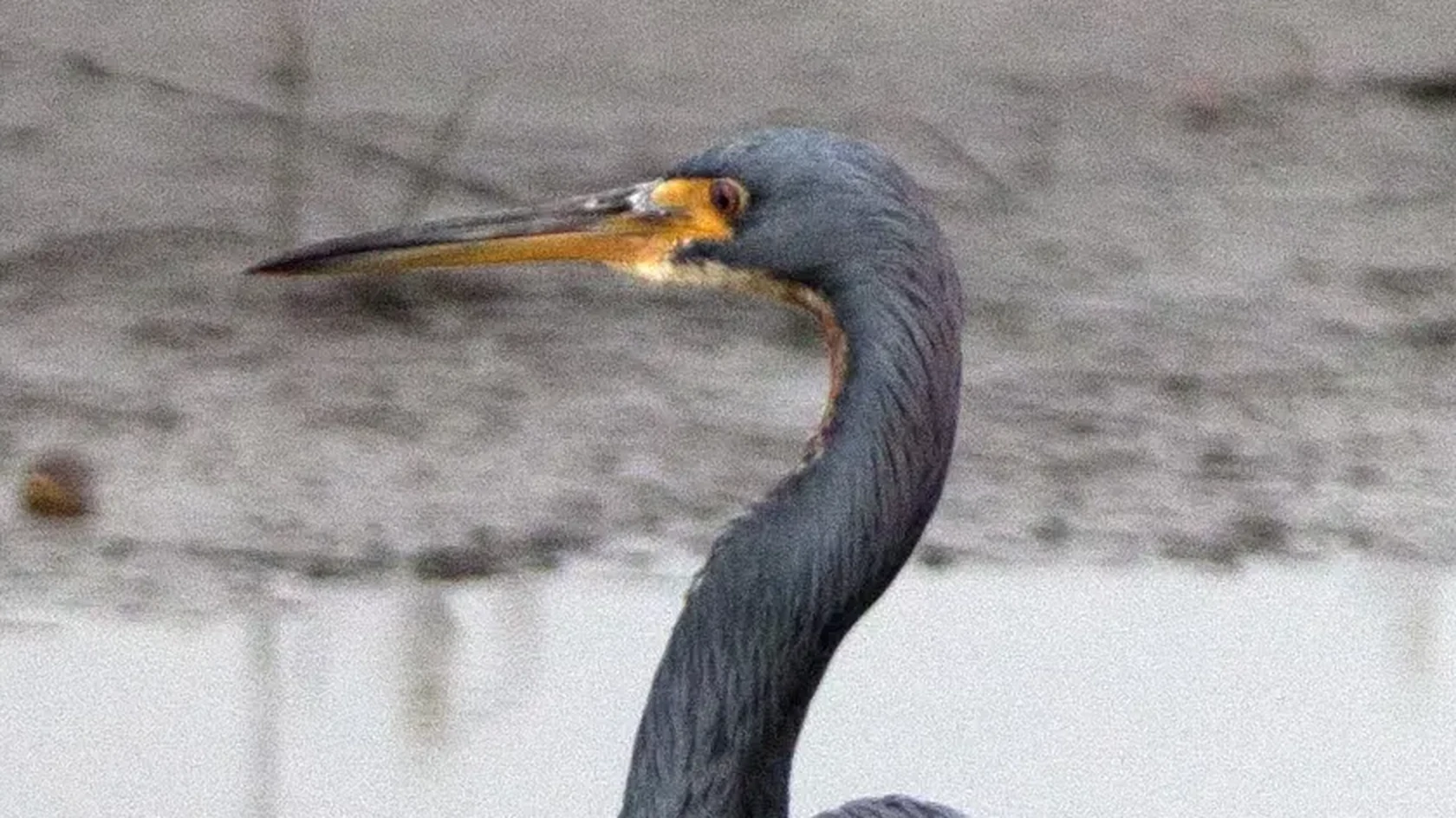
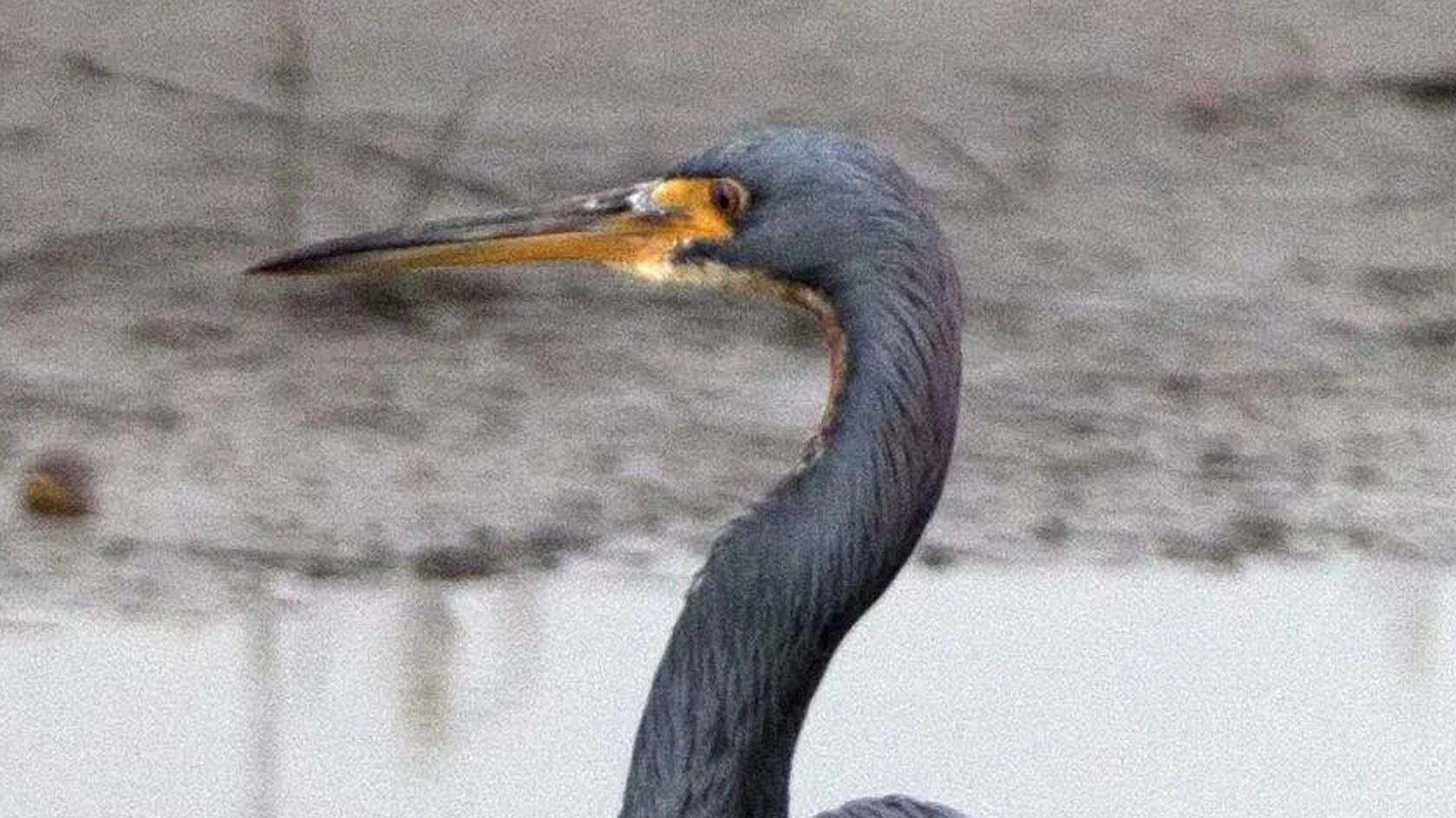
A 3024 × 4032 photo saved as WEBP, then converted on indox.org

WEBPthe original
2.4 MB
JPGfrom indox, 14% smaller
2.1 MB
A heron's head and beak in the original WEBP file, enlarged
The same part in the JPG file made by indox, enlarged
Measured on indox.org on 16 October 2026: the file we uploaded and the file we downloaded. Drag the handle to compare the same part.

Why use indox to convert WEBP to JPG?

For pictures Chrome saved as WebP

Chrome saves whatever the website sent and has no built-in setting to change that, and Edge, Firefox and Safari behave the same way. Add the saved WebP here and you take a JPG away, with nothing to change in the browser.

No plug-in for older Photoshop or Office

Older versions of Photoshop may need a plug-in to read WebP, and older versions of Word and PowerPoint cannot import it. Converting here adds nothing to your computer, and you can do a single picture without an account.

A batch of listing photos in one go

Add several WebP pictures and each one gets its own JPG, which helps when a marketplace or classifieds site allows JPG uploads only. Save each result, or pass it on with a share link.

What happens to your picture

Stays

  • Your original WebP, which is not touched
  • The pixel size, because indox resizes nothing
  • One JPG for every WebP you add

Changes

  • The codec: the picture is compressed again as JPG, a lossy encoding, at the converter's default quality setting
  • Transparency: the JPG is opaque, so see-through areas are painted onto a solid background
  • Animation: a JPG holds one image, so an animated WebP is reduced to a single frame
  • Lossless WebP: it becomes lossy, because the JPG encoding is lossy

How do I convert WEBP to JPG online?

  1. 1

    Add the WebP file

    Drag the WebP onto the box, pick it from your device, or bring it in from Google Drive, Dropbox or a web address. Photographs convert well; lossless screenshots and line art fare less well as JPG.

  2. 2

    Keep JPG as the output and convert

    Confirm JPG as the output format and start the conversion. If the WebP has a transparent background you need to keep, cancel the job and choose PNG as the output.

  3. 3

    Download the JPG and inspect the edges

    Download the JPG and view it at full size. Look at the edges of anything that was transparent, where soft shadows are now blended into the background, and note that an animated WebP gives one still frame.

What do I get from indox's WEBP to JPG converter?

The converter hands back one opaque JPG frame for each WebP you add, a file that cameras, printers, old office software and nearly every upload form can read. Expect it to weigh more than the WebP. Transparent areas are filled with a solid background, and an animation is reduced to a single still. Files travel over HTTPS, and free-tier copies are deleted within 24 hours.

  • A JPG for programs that report an unsupported format
  • Each WebP in a batch gets its own result
  • Nothing to install, and no account for one picture
  • A visible progress bar, and the option to cancel
  • Result ready to download, share or convert again
The indox WEBP to JPG converter: drop a file or choose one to convert it to JPG

What are the limits for WEBP to JPG?

Size

The upload box shows the live size limit before you add a file. Signing in raises it, and paid plans raise it further.

Formats

WEBP in, JPG out. Pick another output on the converter if you need a different format.

Privacy

Files are encrypted in transit over HTTPS and processed on indox infrastructure.

Deletion

Free-tier files are deleted automatically within 24 hours after the job finishes.

Limits worth knowing

  • Stickers, logos and cut-outs lose their transparent background for good. Choose PNG as the target if the image has to sit on differently coloured backgrounds.
  • Going from lossy WebP to lossy JPG compresses the picture a second time. One pass is rarely visible, but detail removed by either codec never returns.
  • Only a single frame of an animated WebP can be represented, so the motion is gone. GIF or MP4 are the formats that keep it.

When the result is not what you expected

What you seeWhyWhat to do
Areas that were see-through now have a solid colourJPG holds no transparency, so those pixels are painted onto a backgroundKeep the transparency with WebP to PNG
My animated WebP gives one stillA JPG stores exactly one imageKeep the WebP for the motion, and convert it only if a still is enough
Text and line art look rougher than the WebPJPG is lossy, and a lossless WebP loses its exactness when it is re-compressedUse WebP to PNG, which keeps every pixel

What do the free and paid plans add?

Free

  • All converters
  • Daily credit refresh
  • Email support

Basic

  • Access to all features
  • AI Extract
  • Priority conversions
  • Email support
Highest priority

Premium

  • Everything in Basic
  • Highest priority queue
  • Larger file limits
  • Priority support

Pay-As-You-Go

  • No subscription
  • Credits never expire
  • Opt-in auto-refill
  • Access to all features
See prices

WebP vs JPG: what is the difference?

Compared onWebPJPG
StructureA chunk-based RIFF containerA family of codecs specified in ISO/IEC 10918 and 14495
CompressionLossy and losslessLossy modes in common use, based on 8-by-8-pixel blocks
TransparencySupports an 8-bit alpha channelThe converted JPG is opaque
AnimationSupported in animated WebPOne image per file

Who can use a WEBP to JPG converter?

  • People reusing images saved from Chrome

    You saved a picture from a web page and another program reports an unsupported format. The JPG version opens there, and nothing about Chrome has to change.

  • Marketplace and classifieds sellers

    Some listing sites allow only JPG photo uploads. Converting the WebP pictures of your item to JPG gets them into the listing form.

  • Anyone printing or framing a picture

    Print shops and digital photo frames tend to read JPG and nothing newer. A JPG copy of the WebP is the file they can take.

When to use it

  • Reusing a picture saved from Chrome in a program that shows an unsupported format error for WebP.
  • Inserting a downloaded image into an older version of Word, PowerPoint or Photoshop that cannot import WebP.
  • Listing an item on a marketplace or classifieds site that only allows JPG photo uploads.
  • Sending pictures to a print shop or a digital photo frame that reads JPG and nothing newer.

Where can I read more about converting files?

Sources

Facts checked on October 16, 2026

Do it all with indox

View all 123 tools

WEBP to JPG FAQs

Why does Chrome save images as WebP?

Chrome saves whatever the website sent, and many sites now send WebP because it loads faster. The browser announces that it accepts WebP, the server picks that version, and Save image as writes it to disk unchanged. The same happens in Edge, Firefox and Safari. Chrome has no built-in setting to change this, so converting afterwards is the usual answer.

Does converting WebP to JPG lose quality?

For photos the loss is small and usually invisible. A lossy WebP is decoded and compressed again as JPEG, which stacks a second round of approximation on the first. A lossless WebP suffers more in relative terms, because sharp text and flat colour are exactly what JPEG handles worst. Photographs fare well; screenshots and line art fare less well.

What happens to the transparent background of a WebP?

It is replaced by a solid colour, since JPG cannot store transparency. Semi-transparent edges, such as drop shadows or wisps of hair, are blended into that colour, so the image can show a fringe of that colour if you later place it on a dark page. PNG keeps the transparency and avoids this.

Can I convert an animated WebP to JPG?

Only as a still. JPG holds one image, so an animated WebP cannot keep its motion in this format, and what you receive is a single frame, normally the first. If the goal is to share the animation somewhere that rejects WebP, a GIF or a short MP4 video is the right target, not a JPG.

Is WebP or JPG better?

WebP is the more capable format: smaller files at matching quality, plus transparency, a lossless mode and animation. JPG is the more portable one, readable by cameras, printers, old office software and nearly every upload form. Web pages benefit from WebP. A file you intend to email, print or edit in older software is safer as a JPG.

Why won't my WebP file open in Photoshop or Windows Photo Viewer?

Those programs were written before WebP was common. Older Photoshop releases may need a plug-in to read WebP. The classic Windows Photo Viewer never learned the format, although the newer Photos app on Windows 10 and 11 does open it. Converting to JPG sidesteps the version question entirely.