inox.org
  • Convert Tools
  • PDF Tools
  • Forms
  • More Tools
  • Pricing
  • Blog
  • Support
  • Docs
Ctrl K
Upgrade
App navigation
  • Home
  • Overview
  • Tools
  • AI Tools

    AI Tools

    • AI Extract
    • Remove BackgroundSoon
    • Upscale ImageSoon
    • Audio to TextSoon
  • Convert
  • PDF Tools
  • My Files
  • History
  • Developer

    Developer

    • API Keys
    • Playground
    • Webhooks
  • Account

    Account

    • Subscription
    • Usage
    • AI Model
    • Audit Log
    • Sharing
    • Shared with me
    • Team
  • Settings

    Settings

    • General
    • Security
    • Notifications
    • Apps & storage
    • Branding
    • Privacy
    • Appearance

Menu

Convert ToolsPDF ToolsFormsMore Tools
PricingBlogSupportDocs
Create account

Language

Help Center

Help CenterContact usTerms of usePrivacy policy
Indox

Encrypted in transit. Free-tier files auto-deleted 24 hours after the job. No tracking.

  • Encrypted in transit
  • Auto-deleted 24h after the job
  • No training on your files

VA forms

  • Disability compensation
  • VA health care
  • Veterans pension
  • Decision reviews & appeals
  • Education & training
  • Careers & employment
  • Home loans & housing
  • Life insurance
  • Burials & memorials
  • Family & caregiver benefits
  • VA records & requests
  • Representatives & accredited agents
  • VA debts & overpayments
  • VA contracting
  • VA employee forms

Federal employee & contractor forms

  • Federal contracting
  • Federal grants
  • Federal personnel
  • Federal medical records
  • Background checks & security clearance
  • Military service records
  • Claims & incident reports
  • Federal retirement & insurance
  • Federal payroll
  • Federal travel
  • Property & fleet
  • Building operations
  • Federal telecommunications
  • Records management
  • GSA operations

Federal court forms

  • Attorneys & appointed counsel
  • Bankruptcy
  • Civil cases
  • Court fee waivers
  • Court fees & payments
  • Court records & transcripts
  • Court reporters
  • Court staff
  • Criminal cases
  • Jury service

Convert video and audio

  • AVI to MP4
  • WAV to MP3
  • MOV to MP4
  • M4A to MP3
  • MKV to MP4
  • MP4 to MP3
  • WEBM to MP4
  • OGG to MP3

Medicare & Medicaid forms

  • Medicare enrollment
  • Medicare claims & billing
  • Medicare appeals
  • Medicare representatives & authorizations
  • Provider enrollment
  • Facility certification & surveys
  • Medical necessity & orders
  • CMS administration

Convert documents

  • DOCX to PDF
  • PDF to DOCX
  • XLSX to PDF
  • PDF to JPG
  • EPUB to PDF
  • XLSX to CSV
  • HTML to PDF

IRS forms for individuals

  • Individual income tax
  • Payments, refunds & disputes
  • Tax pros & free filing help
  • IRS notices & requests
  • Records, IDs & e-file
  • Estates, gifts & trusts
  • Retirement & savings plans

Apps and extensions

  • INDOX for Chrome
  • INDOX for Edge
  • INDOX for Firefox
  • WebEase (Extension)
  • AI Summarizer (Extension)
  • KeyNest (Extension)
  • KeyNest (Android App)

Convert images

  • HEIC to JPG
  • JPG to PDF
  • AVIF to JPG
  • WEBP to JPG
  • SVG to PNG
  • JPG to PNG

Company

  • Blog
  • Pricing
  • Support
  • Feedback
  • Terms of Use
  • Privacy Policy

IRS forms for businesses

  • Employment & payroll
  • 1099s & information returns
  • Business & corporations
  • Charities & nonprofits
  • Excise tax
  • International

USCIS family and status

  • Green cards
  • Citizenship
  • Family petitions
  • Adoption
  • Travel & status changes
  • Asylum & humanitarian relief

USCIS work and filings

  • Work authorization
  • Investors & entrepreneurs
  • Records & requests
  • Fees & payments
  • Waivers
  • Appeals & motions

Tools

  • Convert
  • All conversions
  • Font formats
  • PDF viewer
  • Scan to PDF

Student loan forms

  • Student loan repayment
  • Loan forgiveness
  • Loan discharge
  • Deferment & forbearance
  • Loan consolidation

Developers

  • Documentation
  • API Reference
  • Python SDK

Products

  • Businesses
  • IndoxHub
  • Pencilly

More tools

  • AI Extract

Fill and sign

  • Form reader

Passport forms

  • Passports

© 2026 Nemati AI LLC. All rights reserved.

Private. Secure. Encrypted. Auto-deleted 24 hours after the job.

Updated on 2026-10-31, v0.94.0

  1. Home
  2. Browser extensions

File converter extension for Chrome, Edge and Firefox

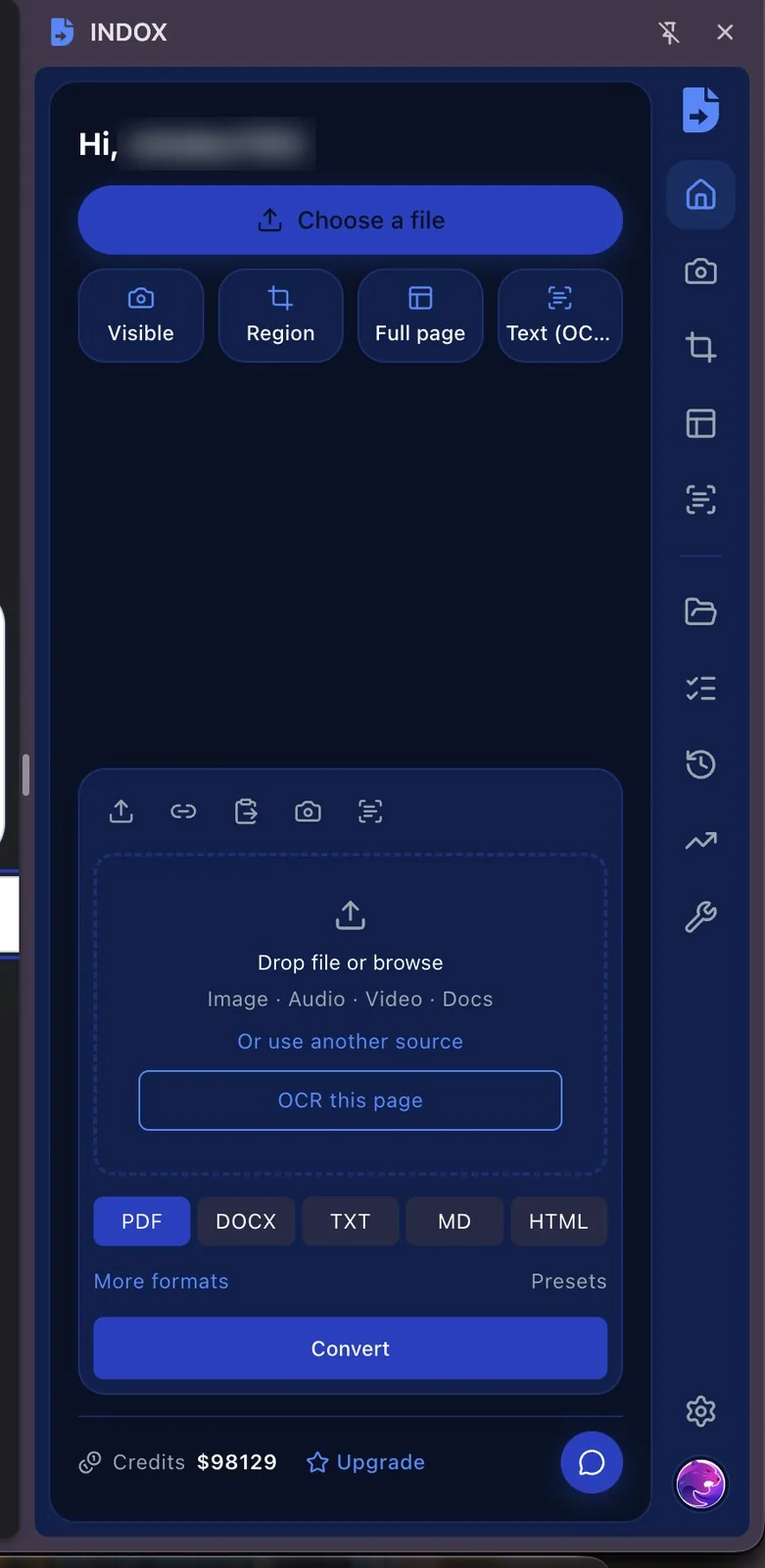
INDOX opens in your browser's side panel. Drop a file, paste a link or capture the page you are on, then pick a format. You never leave the tab you are working in.

Add to ChromeAdd to EdgeAdd to Firefox
  • Free to install
  • Checked before anything uploads
  • Free-tier files deleted within 24 hours

Rather not install anything? Convert on the web
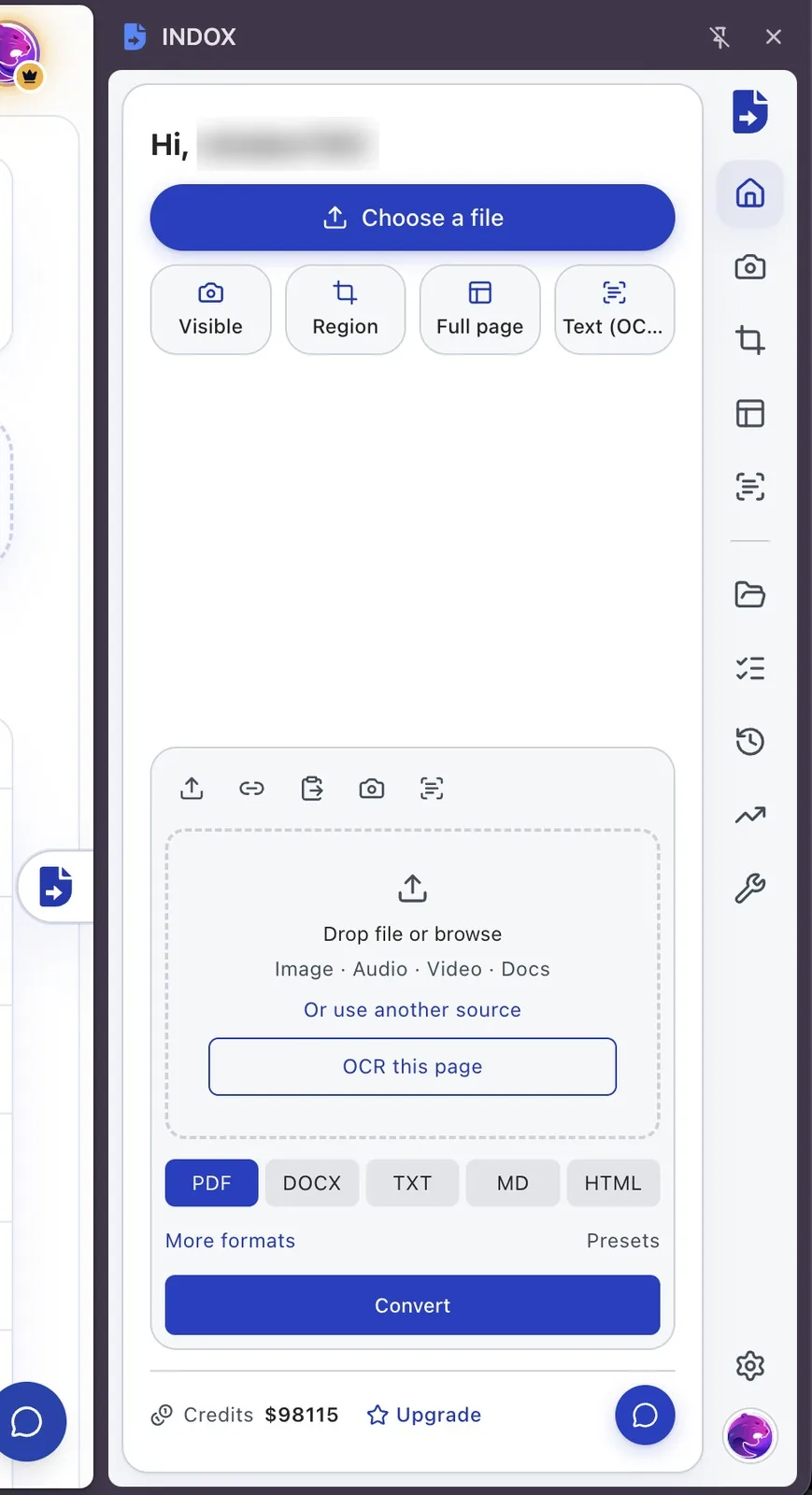
The INDOX side panel open next to a web page, with a file drop area, capture buttons and output formatsThe INDOX side panel open next to a web page, with a file drop area, capture buttons and output formats

What can the INDOX extension do?

Run PDF tools without opening a site

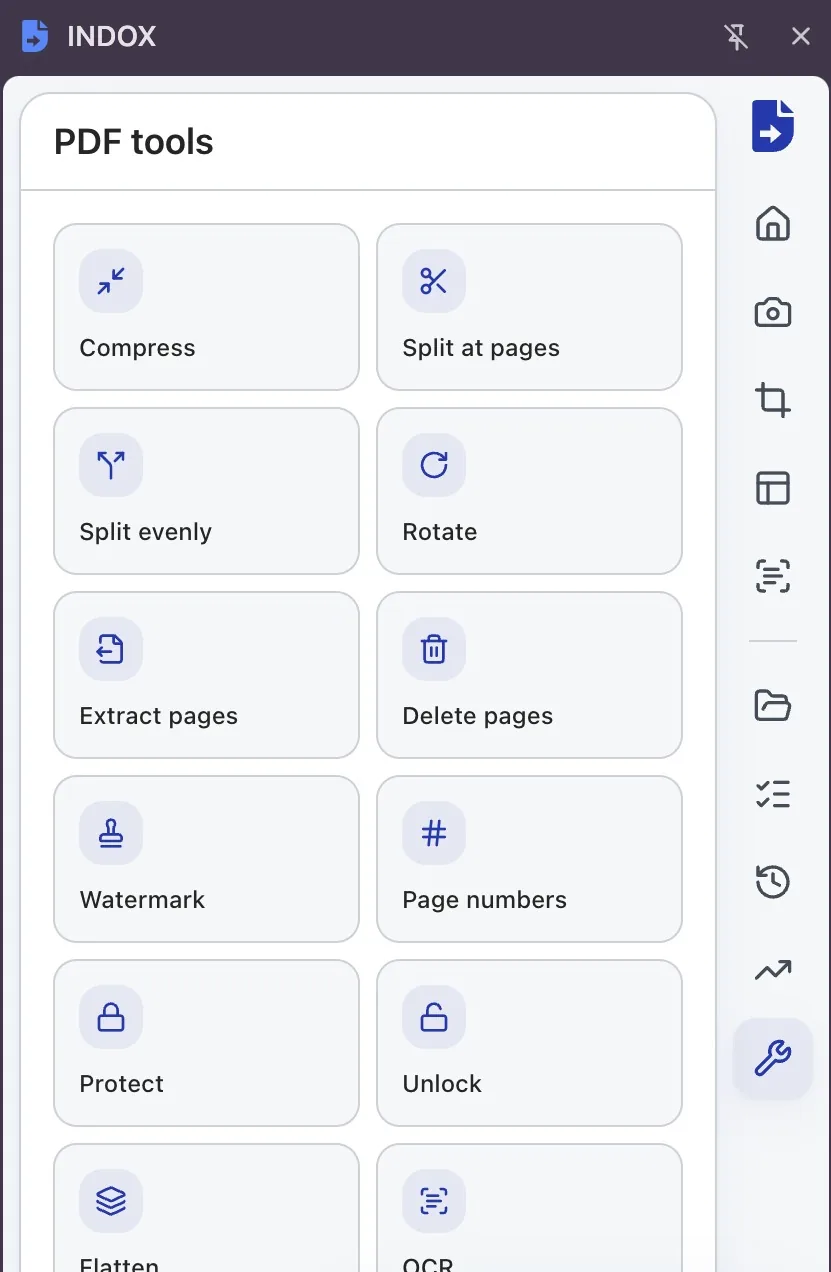
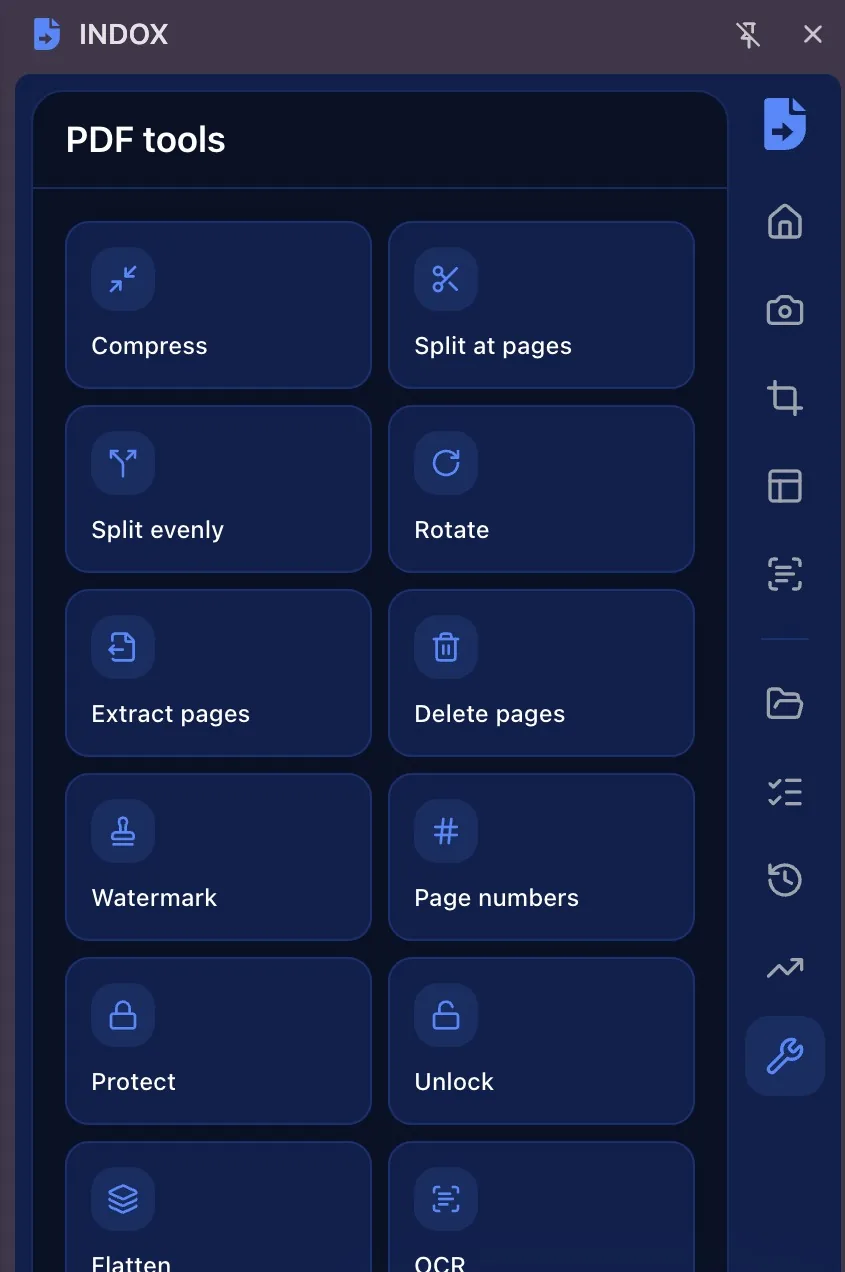
Compress, split, rotate, extract or delete pages, add a watermark or page numbers, protect, unlock, flatten or OCR a PDF, each from the PDF Tools tab in the panel.

Find any past conversion

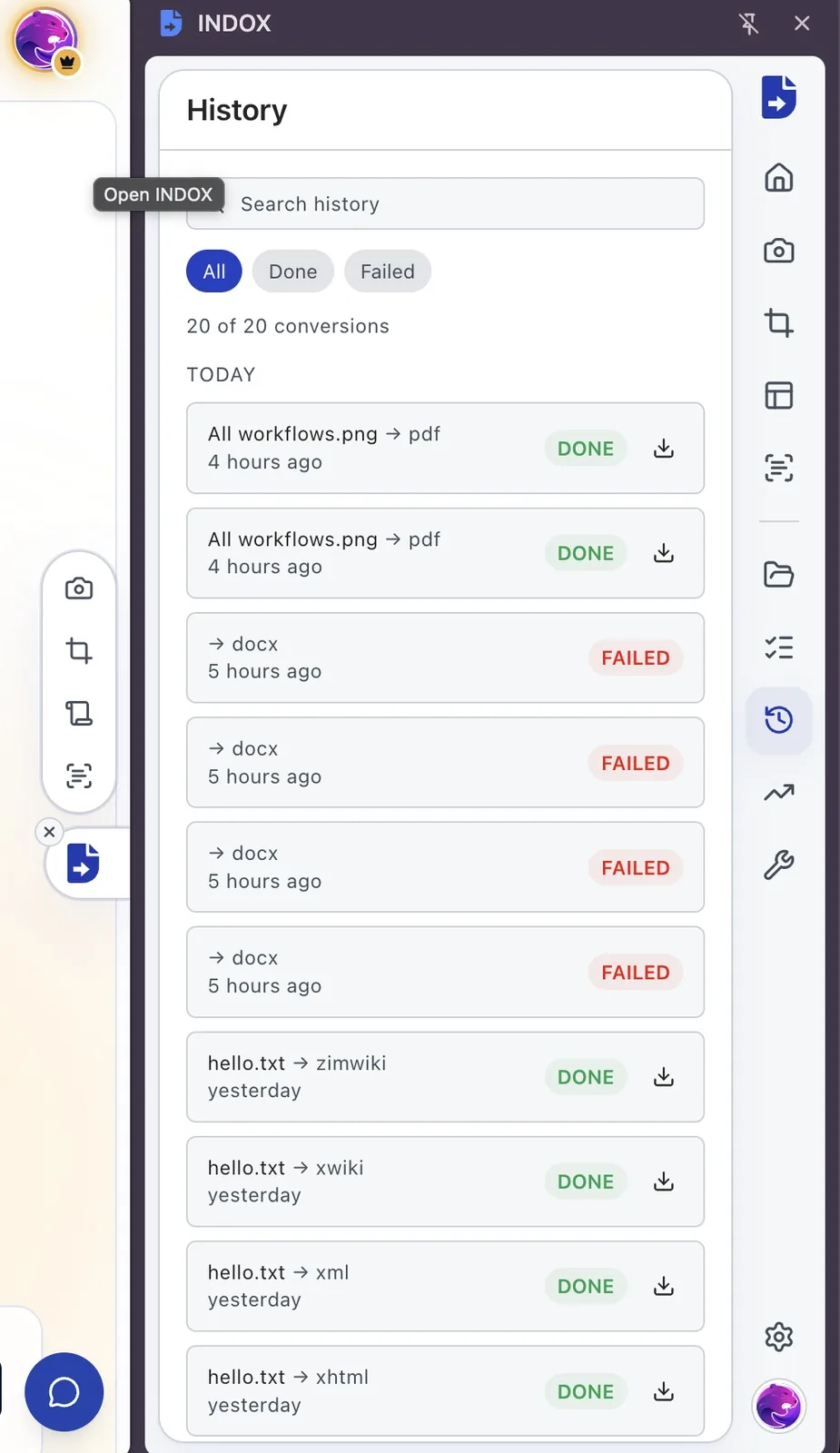
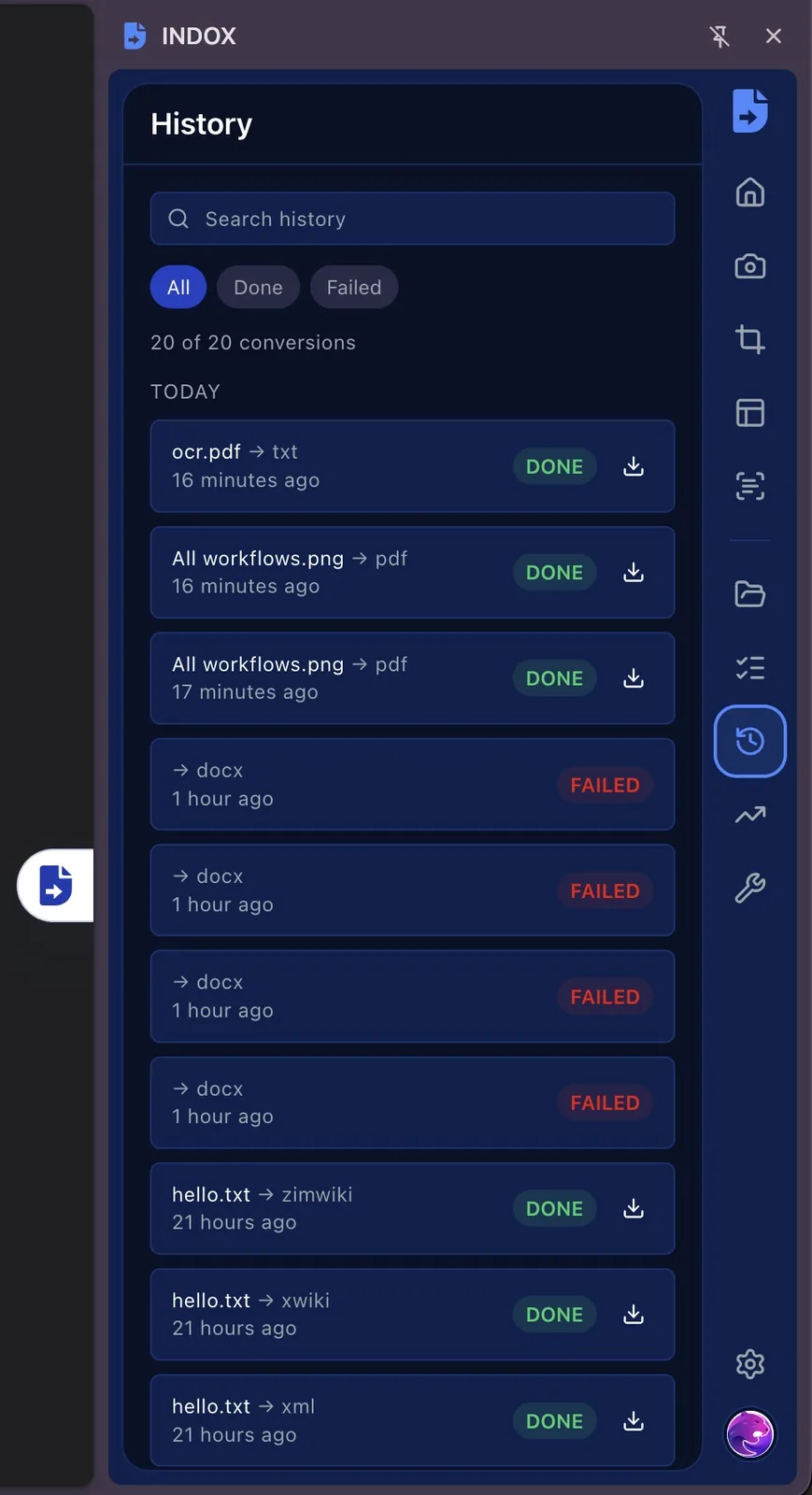
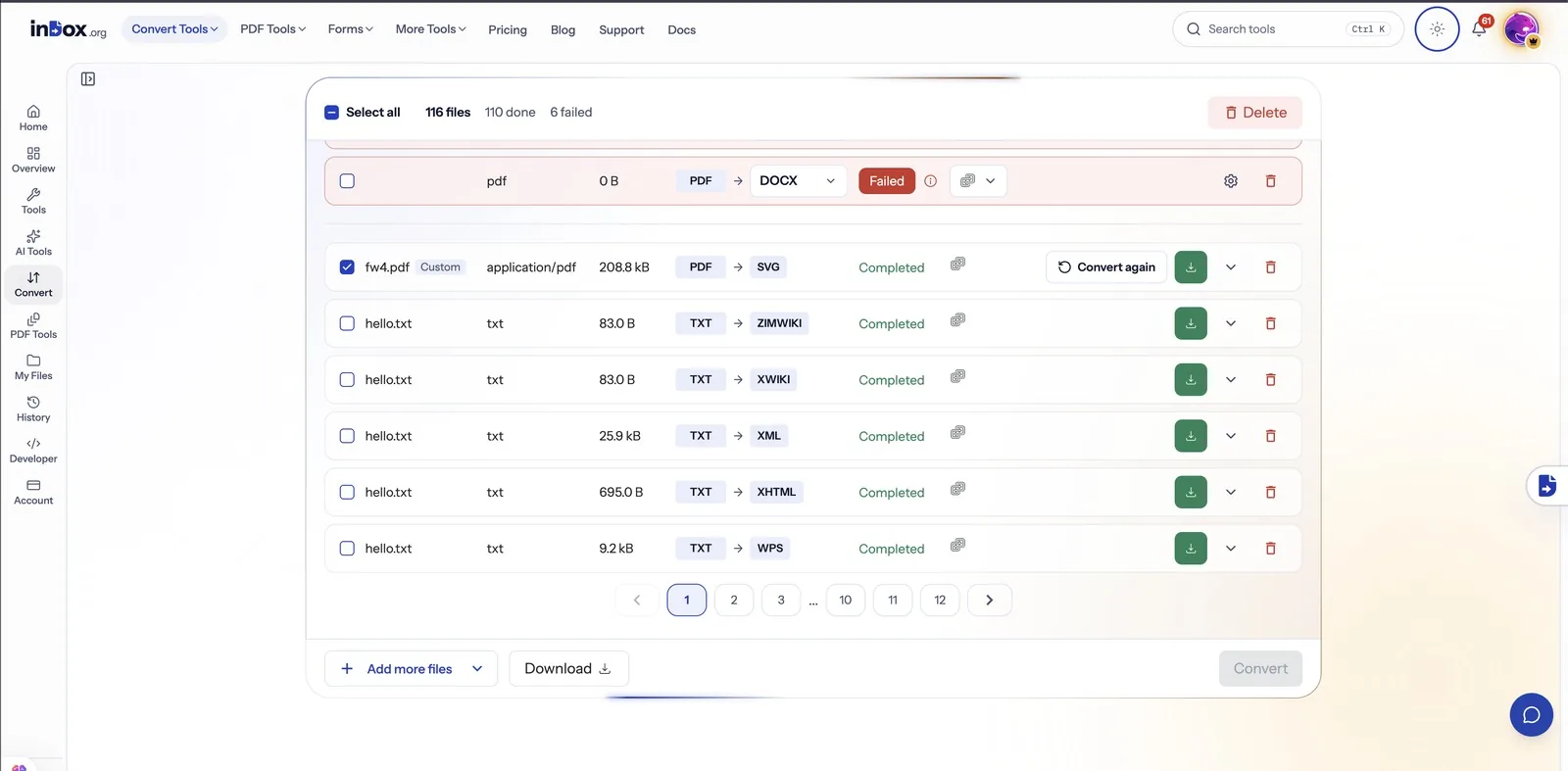
History lists every job with its status. Search it, show only finished or failed jobs, and download a result again without converting the file twice.

Set it up your way

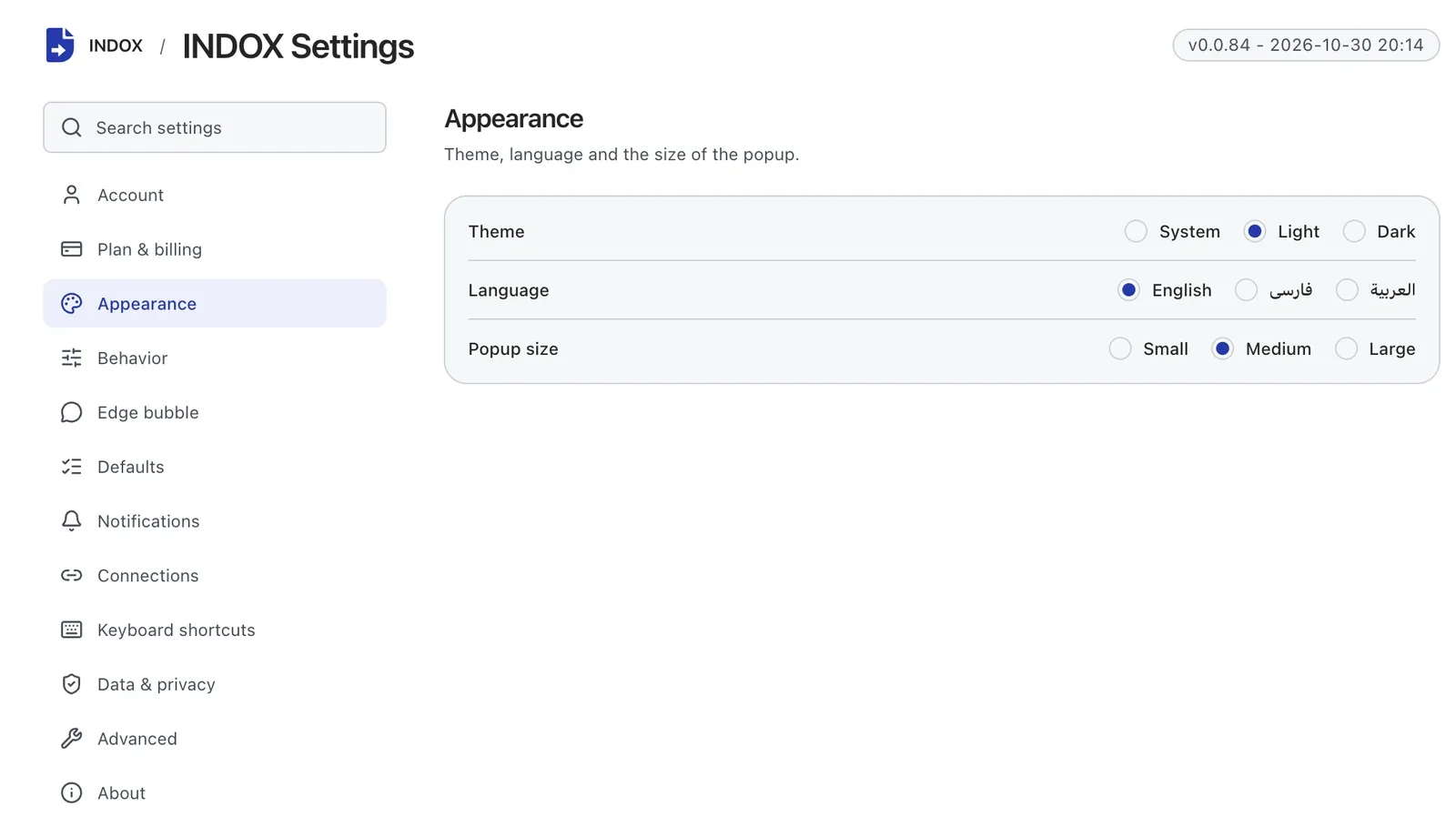
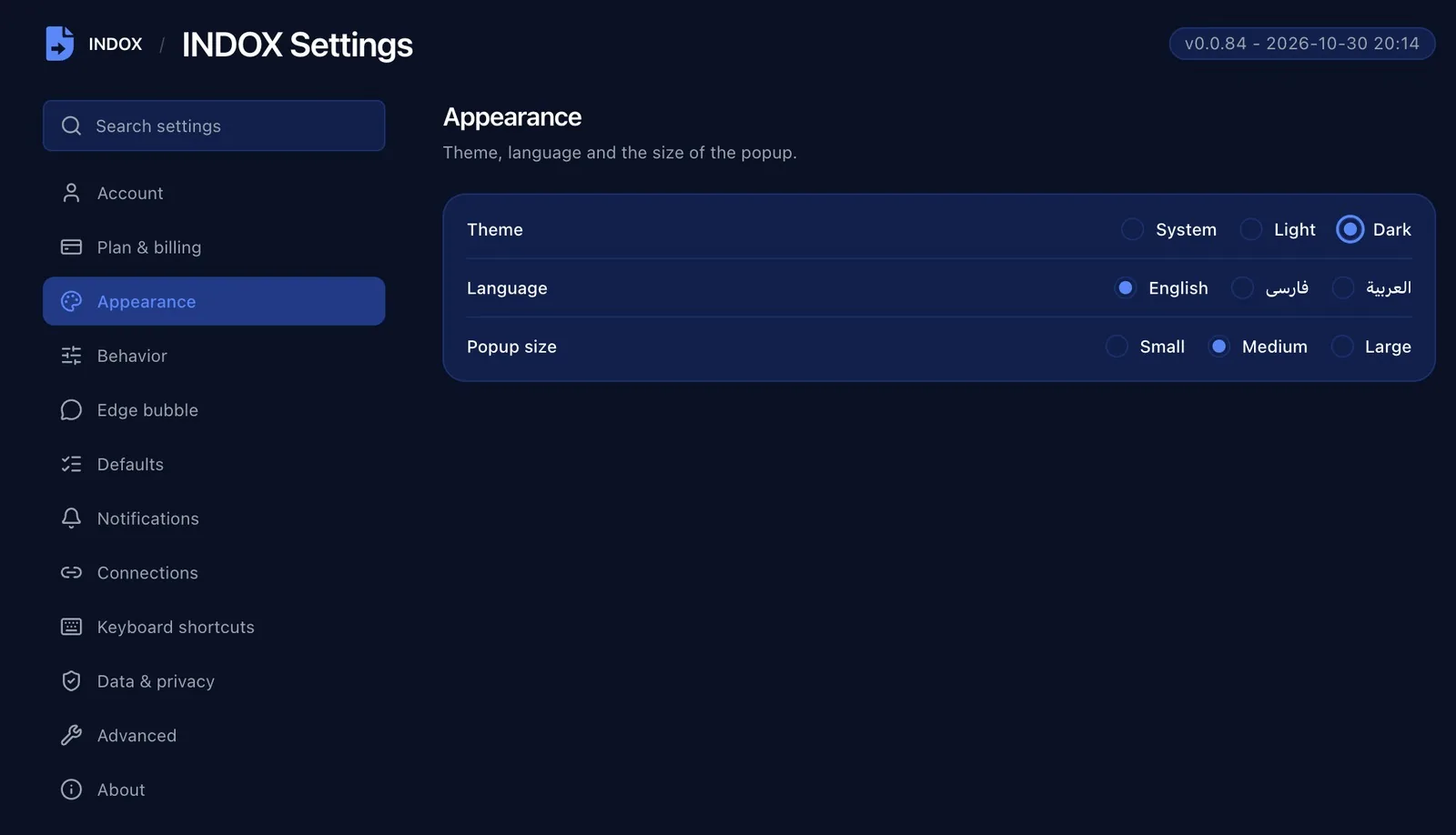
In the extension's settings, pick the theme, language and popup size, decide where the INDOX tab sits or hide it, and set your default formats and keyboard shortcuts.

Your files are on indox.org too

Everything you convert in the panel also lands in My Files on indox.org, where you can download it, convert it again or delete files in bulk.

How do I convert a file with the extension?

  1. 1

    Add it to your browser

    Pick Chrome, Edge or Firefox at the top of this page and install INDOX from that browser's store.

  2. 2

    Open the side panel

    Click the INDOX icon in the toolbar, or the INDOX tab docked to the edge of any page.

  3. 3

    Drop a file and pick a format

    Choose PDF, DOCX, TXT or any other format the file supports, press Convert, and download the result when it is ready.

Why use the extension instead of the website?

The website converts files you already have. The extension also works on whatever is in front of you, without opening another tab.

  • Capture the visible area, a region or the full page as an image
  • Pull the text out of a screenshot or an image with OCR
  • Select text on a page and save it as a PDF, or as Markdown that never leaves your browser
  • Right-click an image, video or audio file to convert it
  • Compress, split, rotate, watermark or protect a PDF from the PDF Tools tab
  • Type indox convert and a link in the address bar

What happens to your files?

Before upload

The extension checks the file's size against your plan, its real type, your credits and your connection before anything is sent. If a check fails, nothing is uploaded.

Size

Your plan sets the largest file you can send, and the panel tells you before you upload if a file is over it.

Deletion

Free-tier files are deleted within 24 hours after the job finishes. Paid plans keep results for 180 days so you can download them again.

Account

The extension uses your indox.org account, so credits, history and files are the same on the website and in the panel.

Why the extension asks for each permission

  • Read and change data on all websites: so the INDOX tab can sit on the edge of every page. It reads nothing until you pick an action, and you can hide it on one site or everywhere.
  • Active tab and scripting: to capture or read the page you are on, and only when you ask.
  • Side panel, context menus, downloads and notifications: to show the panel, add the right-click actions, save results and tell you when a job is done.
  • Cookies: to pick up your indox.org sign-in, so you do not log in twice.
  • Storage and alarms: to keep your settings and check on running jobs.
  • Clipboard (optional): asked for the first time you convert something from the clipboard.

What do the free and paid plans add?

Free

  • All converters
  • Daily credit refresh
  • Email support

Basic

  • Access to all features
  • AI Extract
  • Priority conversions
  • Email support
Highest priority

Premium

  • Everything in Basic
  • Highest priority queue
  • Priority support

Pay-As-You-Go

  • No subscription
  • Credits never expire
  • Opt-in auto-refill
  • Access to all features
See prices

Do it all with indox

View all 99 tools

No tool matches that search.

Sign & secure

  • Sign PDF
  • Protect PDF
  • Unlock PDF
  • Redact PDF
  • Watermark PDF
  • Redact Text
  • Sanitize PDF
  • Certificate Sign
  • Remove Signature
  • Unlock Forms
  • Timestamp PDF
  • Change Permissions

Convert

  • PDF to Word
  • Word to PDF
  • PDF to Excel
  • PDF to JPG
  • JPG to PDF
  • Excel to PDF
  • PDF to PowerPoint
  • PowerPoint to PDF
  • PDF to CSV
  • PDF to HTML
  • Markdown to PDF
  • PDF to Markdown
  • HTML to PDF
  • PDF to Text
  • Text to PDF
  • PDF to JSON
  • JSON to PDF
  • PDF to EPUB
  • EPUB to PDF
  • Email to PDF
  • RTF to PDF
  • ODT to PDF
  • PDF to XML
  • PDF to PDF/A
  • PDF to Video
  • HEIC to JPG
  • SVG to PNG
  • CSV to Excel
  • JSON to CSV
  • PDF to EPS
  • EPS to PDF
  • PDF to PS
  • PS to PDF

Edit

  • Edit PDF
  • Fill PDF Form
  • Add Stamp
  • Edit PDF Metadata
  • Flatten PDF
  • Add / Extract Images
  • Remove Annotations
  • Adjust Contrast
  • Invert Colors
  • Replace Colors
  • Get PDF Info
  • Add Attachments
  • Show JavaScript
  • Analyze PDF
  • List Attachments
  • Extract Attachments
  • Rename Attachment
  • Delete Attachment
  • Remove Images

Organize

  • Merge PDF
  • Split PDF
  • Rotate Pages
  • Reorder Pages
  • Remove Pages
  • Extract Bookmarks
  • Single Long Page
  • Scale Pages
  • N-up Layout
  • Booklet
  • Add Page Numbers
  • Crop PDF
  • Extract Pages
  • Edit Table of Contents

Compress & repair

  • Check PDF
  • Compress PDF
  • OCR PDF
  • Repair PDF
  • Decompress PDF
  • Compare PDFs
  • Auto Rename
  • Scanner Effect
  • Pipeline
  • Multi-Tool
  • Read & Annotate

AI

  • AI Extract

Apps

  • Form reader
  • PDF viewer
  • Scan to PDF

Video

  • Extract Audio
  • GIF to MP4

Fonts

  • Font Converter
  • TTF to WOFF2
  • OTF to WOFF2
  • WOFF to WOFF2
  • TTF to OTF
  • OTF to TTF
  • WOFF2 to TTF

INDOX extension FAQs

Which browsers does the INDOX extension work in?

Chrome, Microsoft Edge and Firefox. Each one installs from its own store, using the buttons at the top of this page.

Is the extension free?

Installing it is free, and it runs on the same account and credits as indox.org, free tier included. Paid plans add credits, larger files and longer storage.

Can I use my indox.org account?

Yes. Sign in from the side panel with email, Google or Apple. If you are already signed in on indox.org, the extension picks that up.

How do I open the side panel?

Click the INDOX icon in the toolbar, or the INDOX tab on the edge of the page. To move the panel to the left, use your browser's own side panel setting. Extensions cannot move it.

Why does it ask to read data on all websites?

So the INDOX tab can sit on the edge of every page. It reads nothing until you choose an action, and you can hide it on a single site or turn it off in the extension's settings.

Can I limit which sites it can see?

Yes. In Chrome or Edge, open the extension's details and set site access to on click or to specific sites. The INDOX tab then appears only where you allow it, and the toolbar icon still opens the panel.

Are my files uploaded?

Only when you press Convert. Size, type and credit checks run in your browser first. Saving selected text as Markdown happens entirely in your browser and uploads nothing.

How long are converted files kept?

Free-tier files are deleted within 24 hours after the job finishes. Paid plans keep them for 180 days.

Does it work offline?

No. Conversions run on indox servers, so you need a connection. The panel checks for one before it uploads and tells you if you are offline.

Which file types can it convert?

Documents, images, video and audio. The panel reads its format list from the same converters as indox.org, so a format added there shows up in the extension too.

Can I turn a whole web page into a PDF?

Yes. Choose Page in the panel to send the page as you see it, or capture it as an image. A PDF open in the tab can be converted directly too.

Does it work in incognito or private windows?

Only if you allow it. In Chrome and Edge, open the extension's details and turn on Allow in Incognito. In Firefox, turn on Run in Private Windows.

Convert files without leaving the page

Free to install. Works with your indox.org account.

Add to Chrome

Also for Microsoft Edge and Firefox.