Stamp a PDF with nothing to set up
The options card shows only Output format, fixed on PDF. You do not create an account with a timestamp authority, and there is no address to paste.
or drop a file anywhere here
Files other than PDF are converted first. Signing in raises the size limit.
A timestamp is a signed record, issued by a timestamp authority, that ties a document to a moment in time. Timestamp PDF requests one for your file under RFC 3161 and embeds it in a copy of the PDF, where a PDF reader can show it next to any signatures. The page has no settings. You add one PDF, select Run Timestamp PDF and download the result. indox chooses the timestamp authority on its servers, so you cannot enter an authority address of your own. One file runs without an account. The timestamp records the time at which the authority issued it, and how much weight a reader gives it depends on whether the reader trusts that authority.
The options card shows only Output format, fixed on PDF. You do not create an account with a timestamp authority, and there is no address to paste.
RFC 3161 is the protocol this tool uses to ask an authority for a timestamp. indox makes the request for you and places the authority's reply in the file.
The timestamp is embedded in the PDF as a signature field. It travels with the copy you download, so no separate token file has to be stored beside it.
If the timestamp authority cannot be reached or refuses the request, the job ends with Couldn’t process file and the reason. You are not given an unstamped PDF labeled as finished.
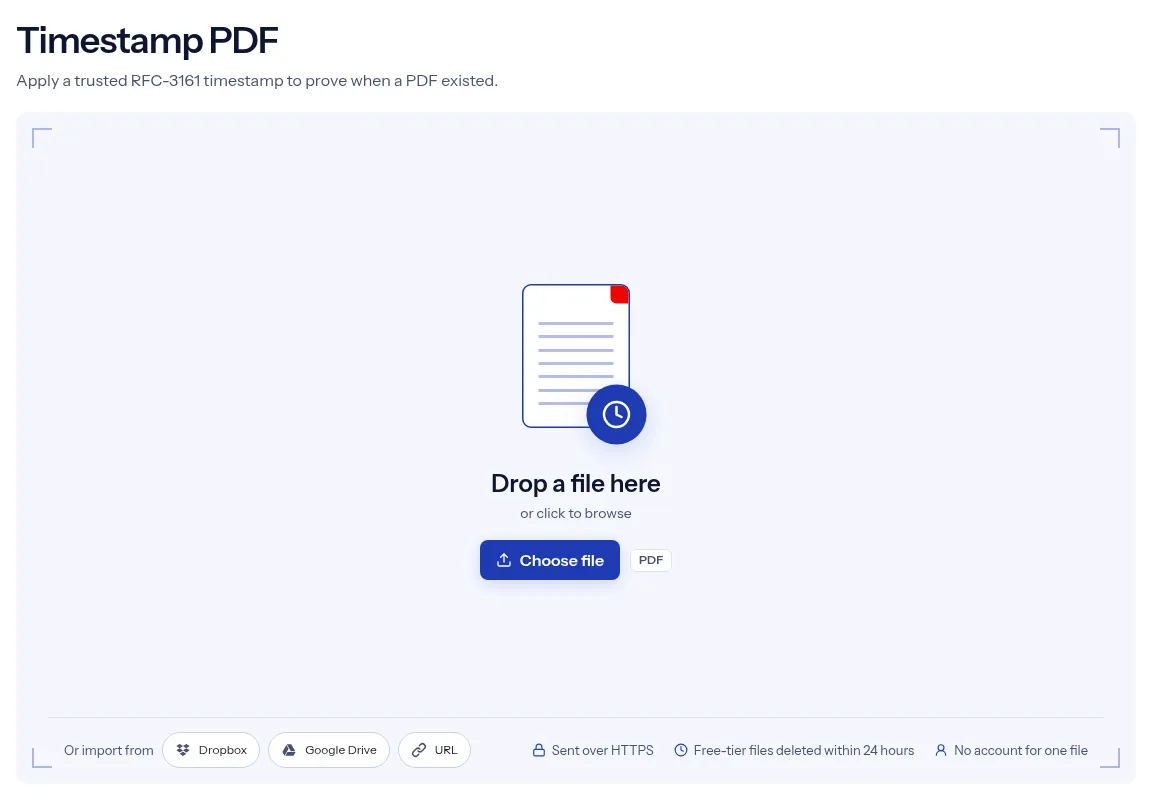
Drop the file where the page says Drop a file here, or select Choose file. A card with the file name and a Replace button shows which PDF will be stamped.
No field needs a value. Select Run Timestamp PDF, and indox sends the request to its timestamp authority.
When the page reports Conversion complete, select Download. Open the copy in a PDF reader to read the time and the name of the authority.

Timestamp PDF keeps the task to one upload and one button. You do not register with a timestamp authority, install signing software or handle a token file, because indox makes the RFC 3161 request and embeds the answer for you. The authority address is set on the indox servers and cannot be replaced from the page, so every request goes to the place indox has chosen. A single file runs without an account. Your PDF travels to indox over HTTPS, and on the free tier the upload and the stamped copy are deleted automatically within 24 hours after the job finishes, so save your download when it is ready. If the request fails, the page says so instead of returning the file unchanged.
| What you see | Why | What to do |
|---|---|---|
| The job ends with an error | The timestamp authority could not be reached or refused the request | Try again later. No unstamped PDF is returned as finished. |
| No timestamp is visible on the page | The timestamp is stored in a signature field, not printed on the pages | Open the signature panel of a PDF reader to see it. |
| The reader says the timestamp is not trusted | Trust depends on the authority's certificate and on the reader's own settings | Check the reader's trusted certificates. This page controls neither. |
| The timestamp is gone or invalid after a later edit | Rewriting the stamped file breaks the signature | Make timestamping your last step. If you must edit, edit the original and stamp again. |
| The file asks for a password | A signature cannot be applied to an encrypted file here | Remove it with Unlock PDF, then stamp the open copy. |
You want a dated copy of a manuscript, a design or a set of drawings before you share it. Stamp the final PDF and keep the stamped copy with your records.
Lab notes, test reports and specifications gain a time marker that does not rely on your own computer clock.
After the last review round, stamp the agreed PDF so that everyone can refer to the same dated file.
Facts checked on October 16, 2026
No tool matches that search.
It is a signed reply from a timestamp authority that links a file to the time of the request. RFC 3161 is the standard that defines how the request and the reply work.
The authority is set in the indox server configuration, and the page does not display its name. When none is set, the PDF engine falls back to its own default authority.
No. The page has no field for an authority address, and indox drops an address sent to it in any other way.
Open the downloaded copy in a PDF reader that has a signature panel. The timestamp is listed there as a signature field with the time and the authority that issued it.
Timestamp PDF has no setting for a visible mark. It adds the timestamp as a signature field in the file, and for a date that prints you can add text with Watermark PDF.
Not directly. Remove the password with Unlock PDF and stamp the unlocked copy, and remember that protecting that copy afterward would break the timestamp.
No account is needed for one file, since Timestamp PDF has the free badge. Higher limits come with signing in or a paid plan.
Your file is sent over HTTPS. On the free tier, indox deletes the uploaded PDF and the stamped copy automatically within 24 hours after the job finishes.